This feature is available as an add-on for the Honeycomb Enterprise plan.
Please contact your Honeycomb account team for details.
Description
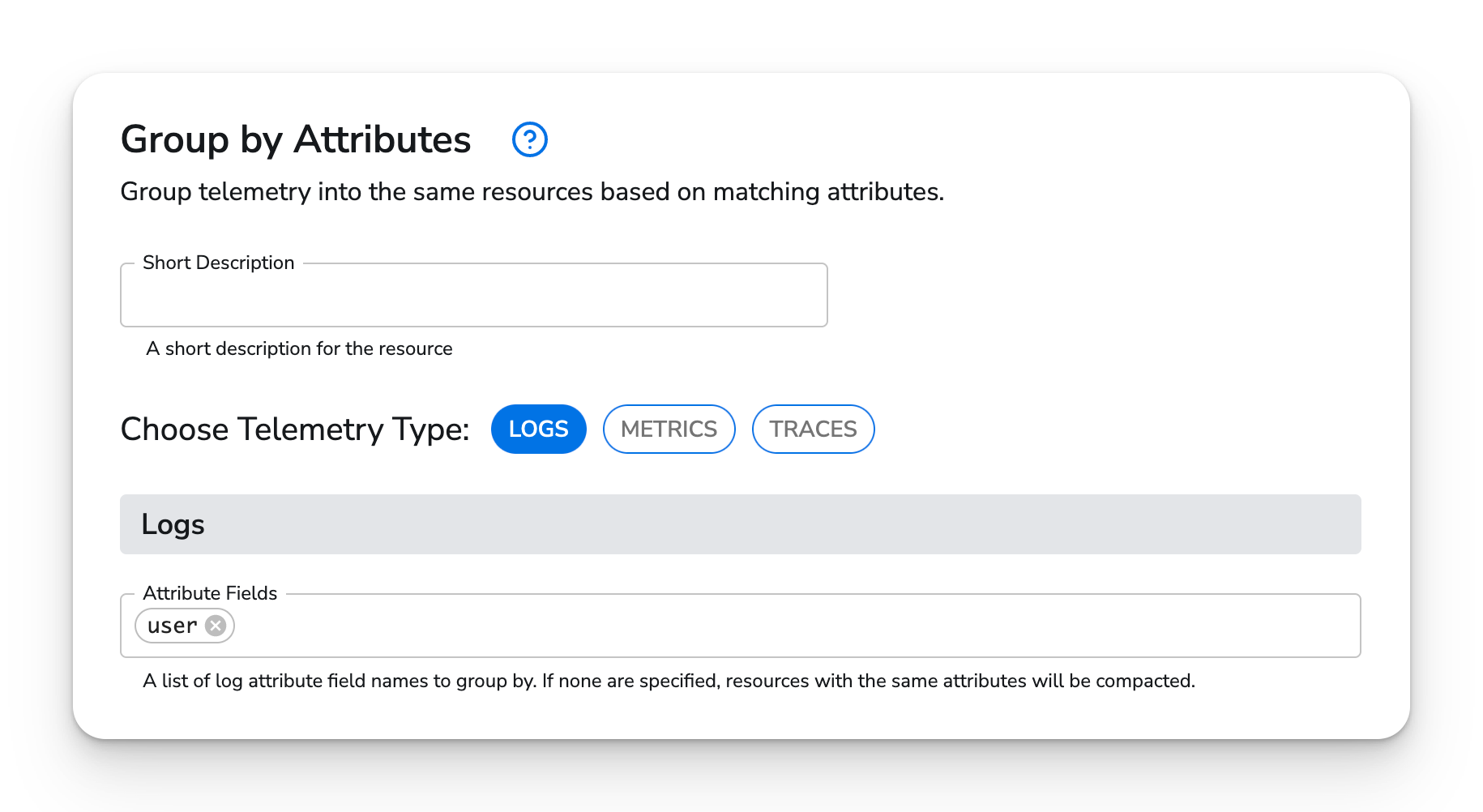
The Group by Attributes Processor groups telemetry with shared attribute values into the same resource.Use
- “Promote” attributes so telemetry with those attributes gets grouped under a resource of that value.
- Compact telemetry data that shares a resource after batching.
Configuration
Example Configurations
1. Promote an attribute
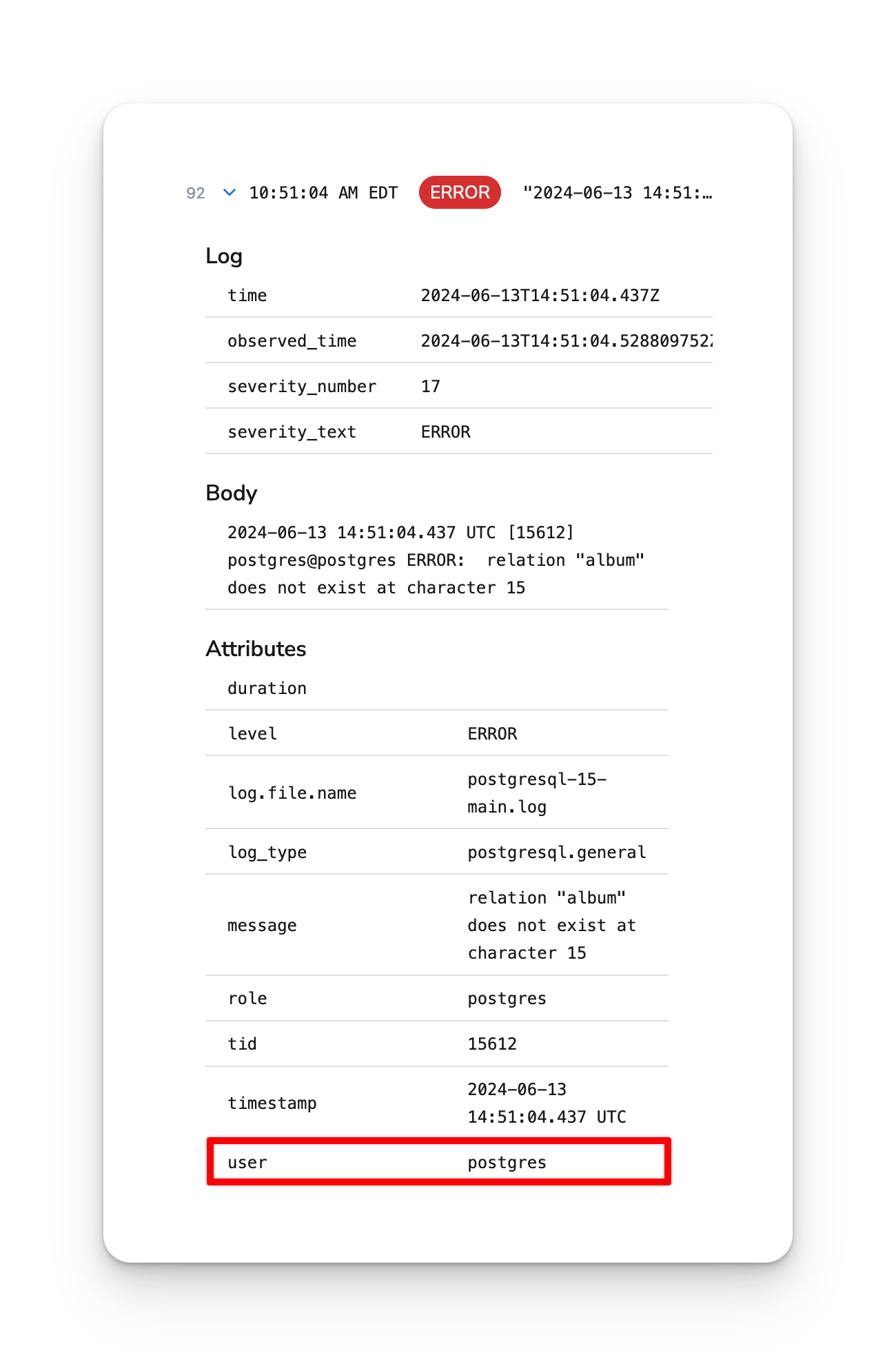
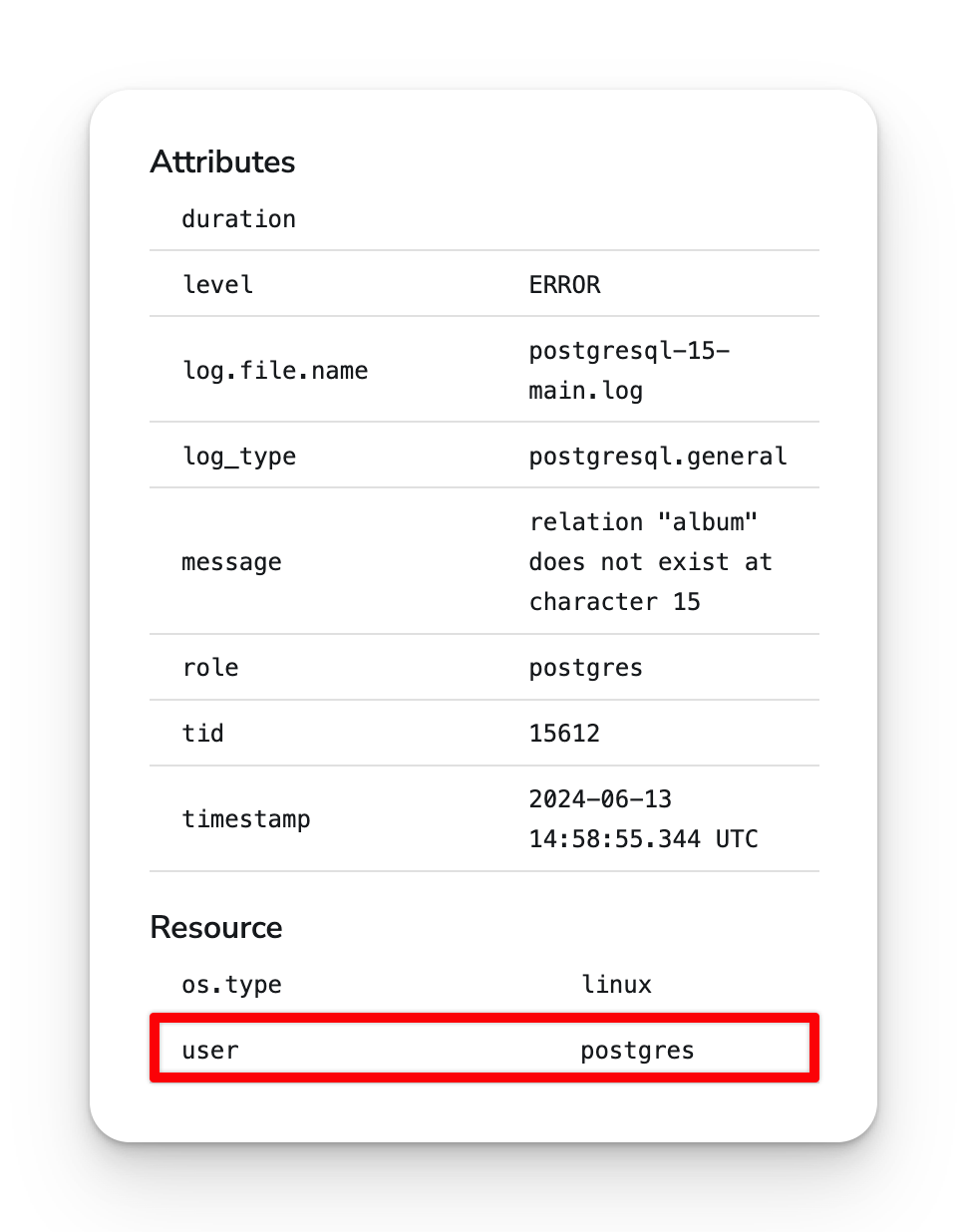
An example of promoting theuser attribute on logs:
Before processor
After
2. Compact telemetry with the same resource
By default, the processor will compact telemetry that shares the same resource. Using this processor after the batch processor can reduce the amount of data sent to some destinations.