This feature is available as an add-on for the Honeycomb Enterprise plan.
Please contact your Honeycomb account team for details.
Filter by Condition Processor
The Filter by Condition processor can be used to include or exclude telemetry based on a condition that is evaluated against the telemetry data.Supported Types
| Metrics | Logs | Traces |
|---|---|---|
| ✓ | ✓ | ✓ |
Configuration
| Field | Description |
|---|---|
| Choose Telemetry Type | The types of telemetry to filter. |
| Action | The action to take when the condition is met. Include will retain matching telemetry. Exclude will remove matching telemetry. |
| Condition | The condition to match against telemetry to include or exclude based on the action. |
Example Configuration
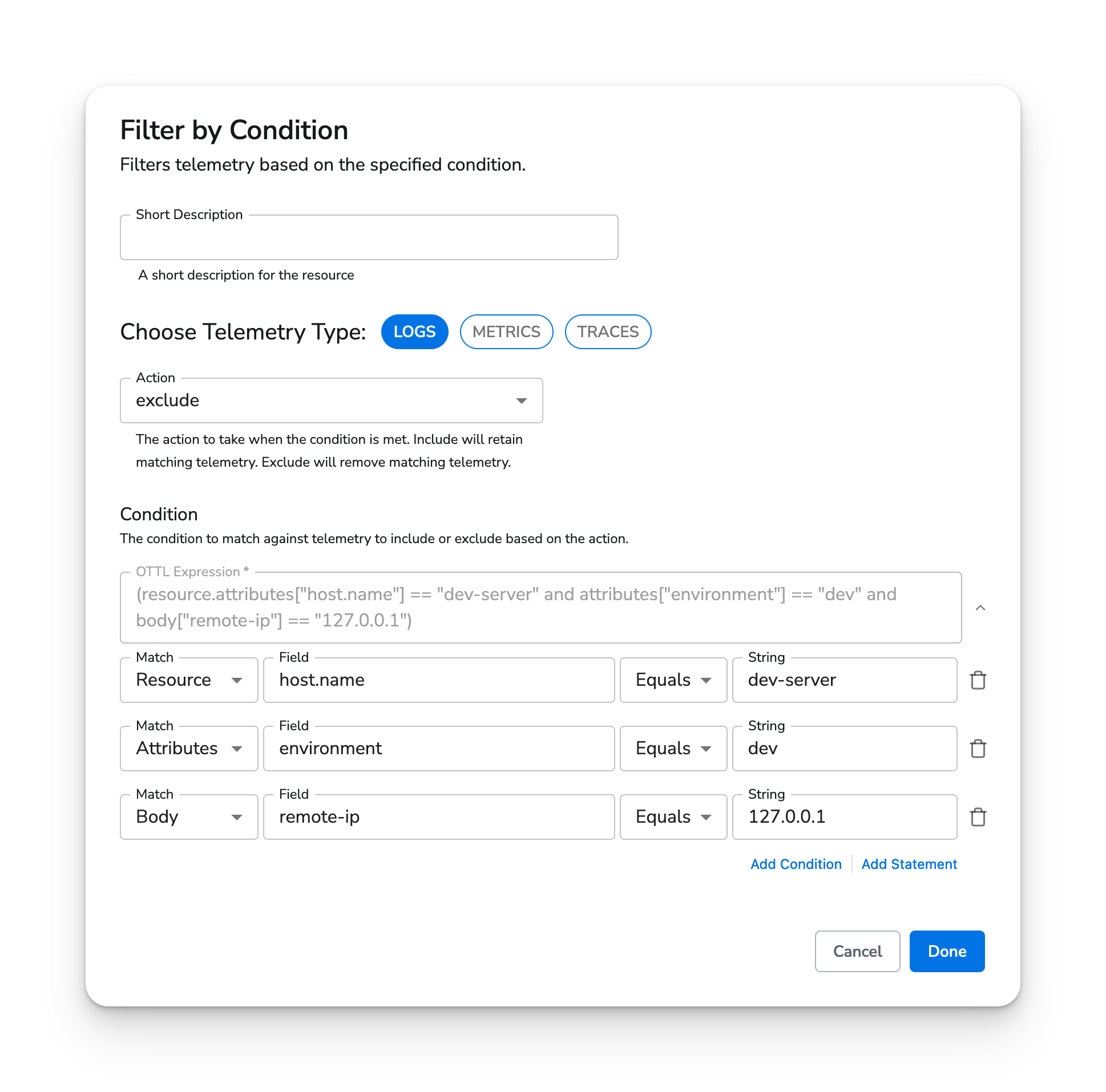
Excluding matching log records
In this example, we exclude logs that have all of the following:- A
host.nameresource attribute that equalsdev-server - An
environmentattribute that equalsdev - A
remote-iplog body field that equals127.0.0.1
Web Interface
API Reference
This processor can be defined as yaml and applied using the CLI or API.Type
filter-by-conditionParameters
| Parameter | Type | Default | Description |
|---|---|---|---|
| telemetry_types | telemetrySelector | ["Logs", "Metrics", "Traces"] | The types of telemetry to filter. |
| action | enum | exclude | The action to take when the condition is met. Include will retain matching telemetry. Exclude will remove matching telemetry. |
| condition | condition | {"ottl":""} | The condition to match against telemetry to include or exclude based on the action. |