

How to Find Outliers in Structured Logs
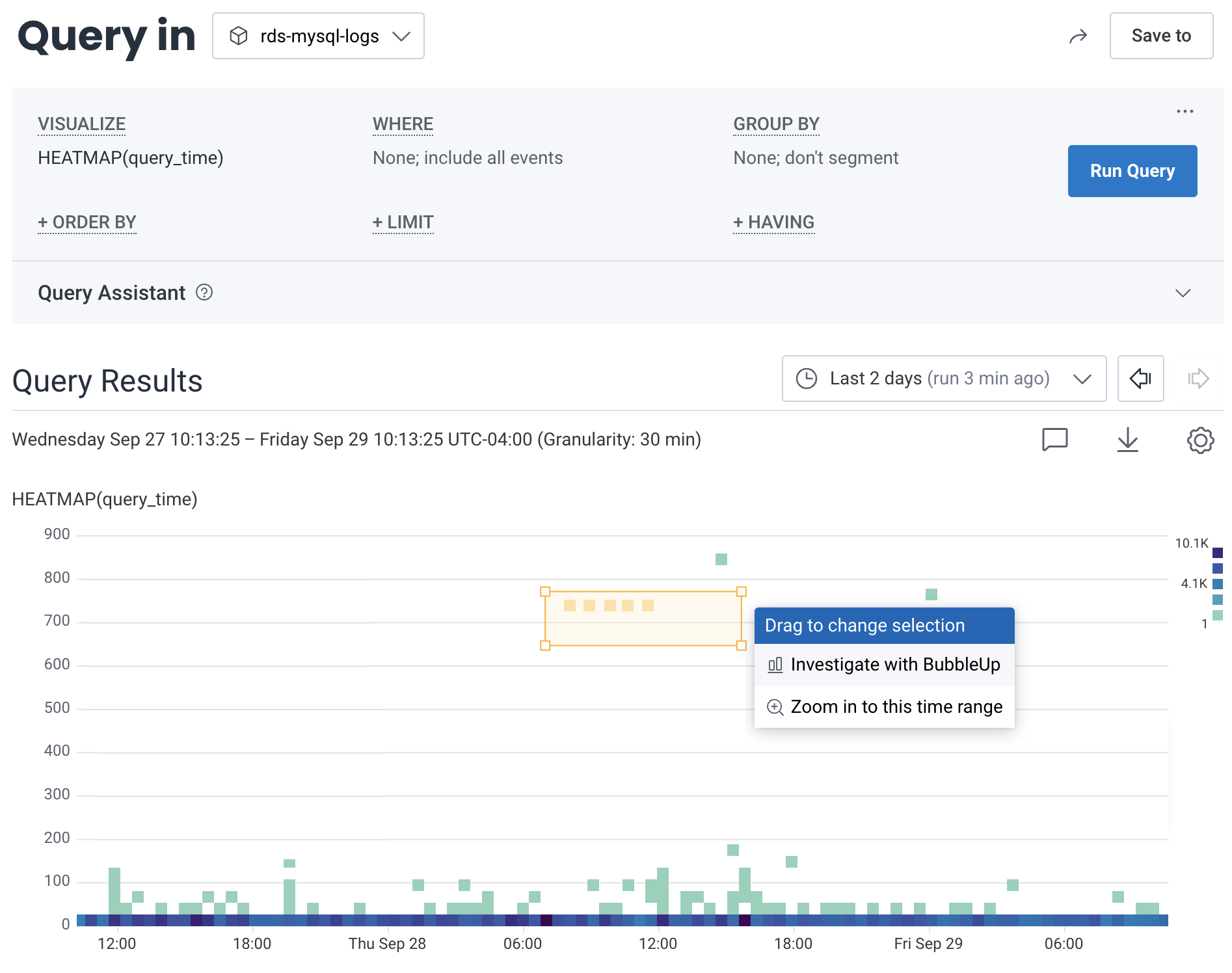
BubbleUp allows you to examine what a subset of logs might have in common. Using structured MySQL slow query logs as an example, BubbleUp can help to discover specific queries that are running slower than expected. In this example, we created a query that visualizes a heatmap onquery_time, or SELECT HEATMAP(query_time).
BubbleUp allows us to draw a box around logs that have a longer duration than preferred.
In the menu that appears, select BubbleUp Outliers.
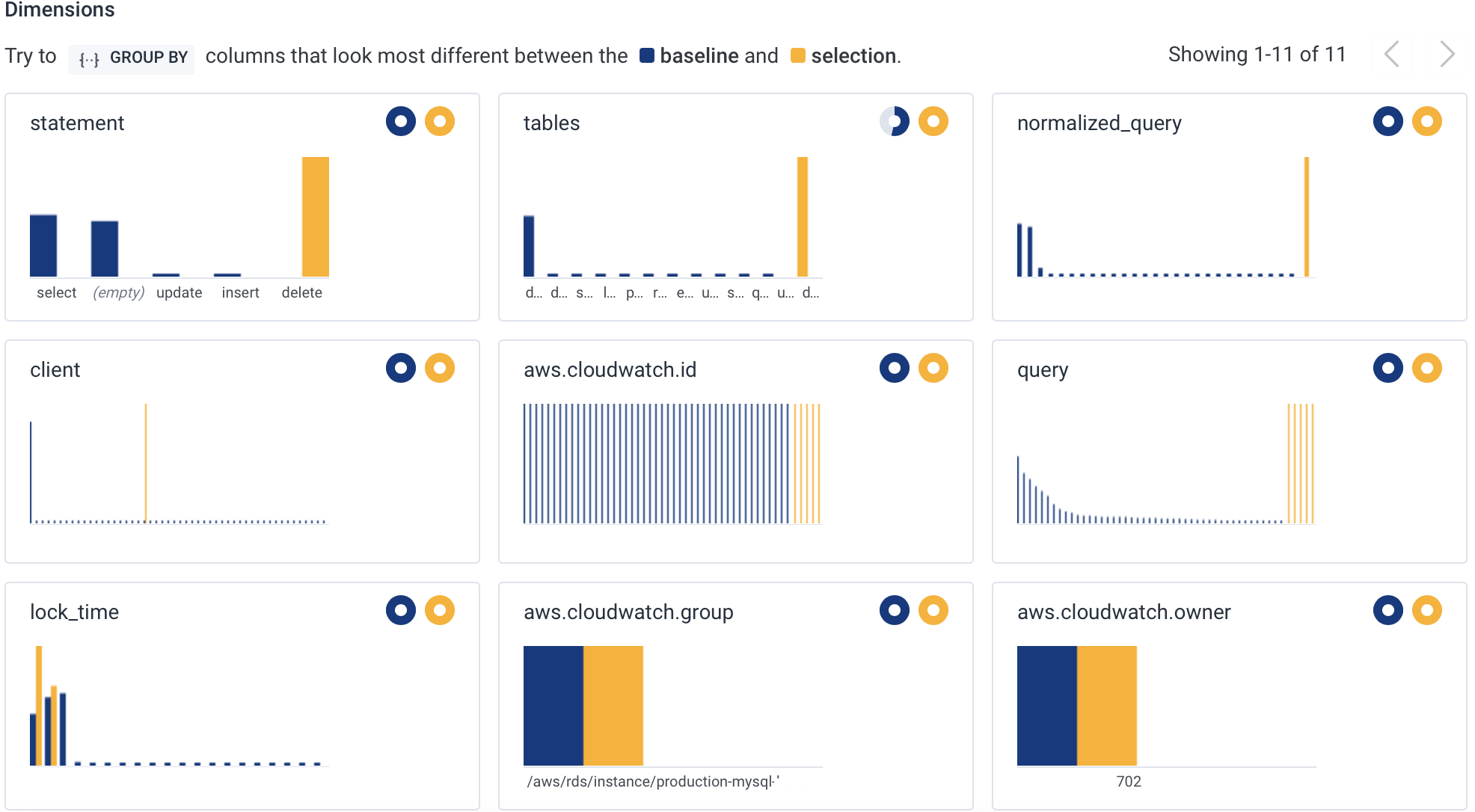
DELETE query in the statement field.
Using the normalized_query field, we can see the exact shape of the query we need to go optimize.
Work with Unstructured Logs
Unstructured logs are received by Honeycomb as events with a verbosemessage attribute.
All unstructured log data is contained within this single attribute, which can make it hard to query.
Using Calculated Fields on this attribute can improve the experience and make the logs more useful.
Use Calculated Fields on Unstructured Logs
Use calculated fields to parse meaningful information out of the unstructuredmessage attribute.
When creating a calculated field, leverage the REG_VALUE operation when parsing.
While this experience is better with structured logs, we recommend this as a workaround for unstructured logs.