

Find Management API Keys
To find your existing Management API Keys:- Log in to the Honeycomb UI.
- From the navigation bar, select Account, and then Team Settings.
- Select the API Keys view.
Create Management API Key
To create a Management API Key, you must be a Team Owner.
- Log in to the Honeycomb UI.
- From the navigation bar, select Account, and then Team Settings.
- Select the API Keys view.
- Select Create Management API Key.
-
In the Create management API key dialog, enter the details for your API Key:
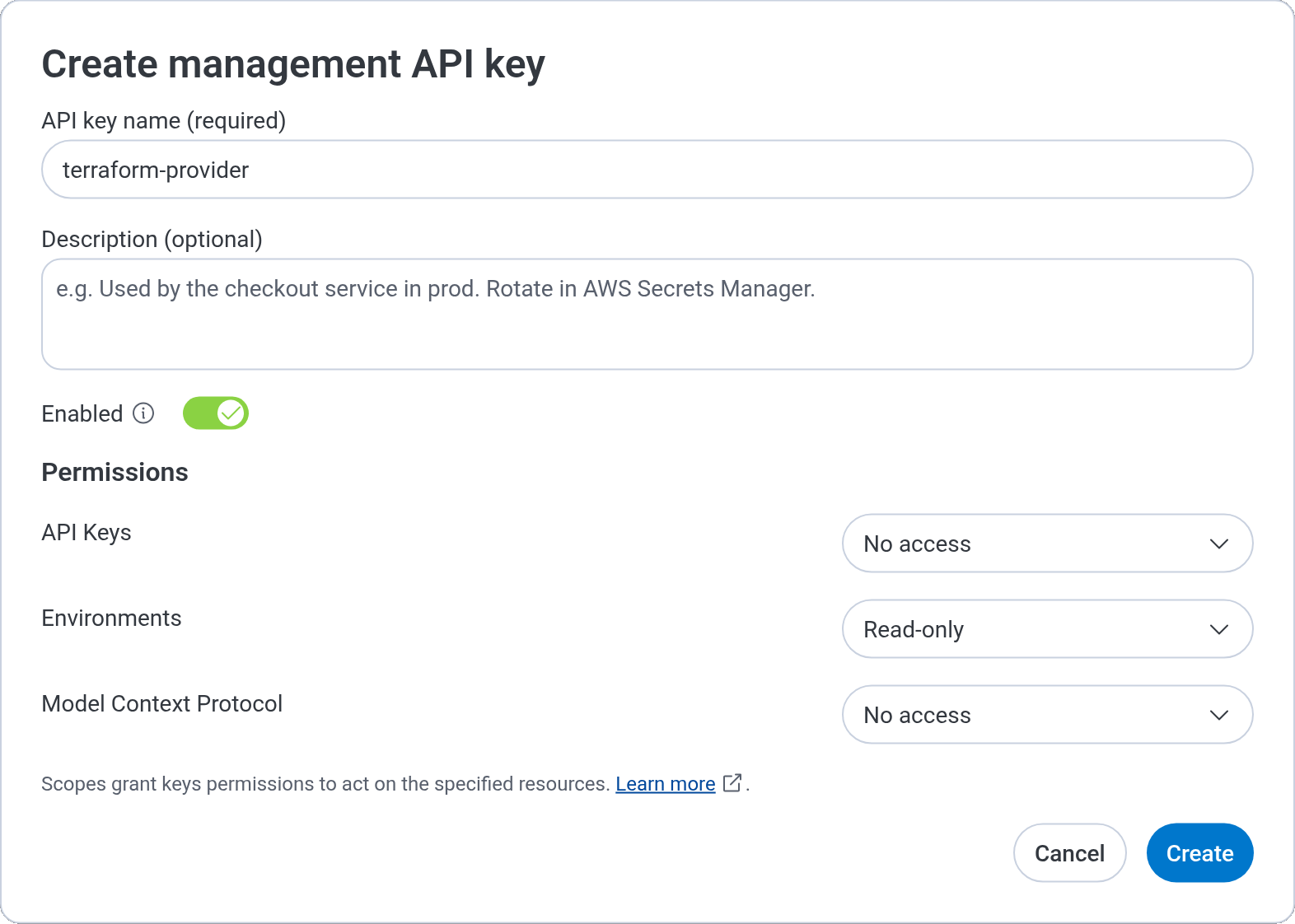
- Select Create.
- Copy your Key Secret and save it to a secure location. Honeycomb returns it only upon creation.
- Select Done.
- Optionally, copy your Key ID. You will need both your Key ID and Key Secret to authenticate requests to the API. Your Key ID is always available after creation, but your Key Secret is not.
Describe Management Keys
A description is an optional note about a key, such as where it is used or how to rotate it. For example:Used by the checkout service in prod. Rotate in AWS Secrets Manager.
Descriptions help your team identify a key without searching code to find where it is used.
To learn how descriptions fit into key management, visit Best Practices for API Keys.
A description can contain up to 2,000 characters.
The Description (optional) field stops accepting input at that limit.
To add, edit, or clear a description, you must be a Team Owner.
Team members who are not Team Owners can read a key’s description in the list and when they open the key.
- Log in to the Honeycomb UI.
- From the navigation bar, select Account, and then Team Settings.
- Select the API Keys view.
- In the list, locate the Management Key that you want to change, and select its Edit (pencil) icon.
- In the Description (optional) field, enter the new description. To clear the description, delete all of its text.
- Select Save.
Disable Management Keys
To disable a Management Key, you must be a Team Owner.
- Log in to the Honeycomb UI.
- From the navigation bar, select Account, and then Team Settings.
- Select the API Keys view.
- In the list, locate the Management Key that you want to disable, and select its Edit (pencil) icon.
- Turn off the Enabled toggle.
- Select Save.
Delete Management Keys
To delete your Management Key:- Log in to the Honeycomb UI.
- From the navigation bar, select Account, and then Team Settings.
- Select the API Keys view.
- In the list, locate the Management Key that you want to delete, and select its Delete (trash) icon.
- In the Delete management API key? dialog, type the name of the Management Key, which appears above the field.
- Select Delete.
Management Key Scopes
You can control the actions that a Management API Key may perform in your Team at a more granular level.You cannot change scopes assigned to a Management Key after the key has been created.
Management Keys can be deleted.