Documentation Index
Fetch the complete documentation index at: https://docs.honeycomb.io/llms.txt
Use this file to discover all available pages before exploring further.
Ent+
This feature is available as an add-on for the Honeycomb Enterprise plan.
Please contact your Honeycomb account team for details.
| Platform | Metrics | Logs | Traces |
|---|
| Linux | β | β | β |
| Windows | β | β | β |
| macOS | β | β | β |
| Kubernetes Node (DaemonSet) | β | β | β |
| Kubernetes Gateway | β | β | β |
| OpenShift 4 Node (DaemonSet) | β | β | β |
Configuration Table
| Parameter | Type | Default | Description |
|---|
| telemetry_types | telemetrySelector | ["Logs", "Metrics", "Traces"] | Choose Telemetry Type. |
| listen_address | string | β0.0.0.0β | The IP address to listen on. |
| grpc_port | int | 4317 | TCP port to receive OTLP telemetry using the gRPC protocol. The port used must not be the same as the HTTP port. Set to 0 to disable. |
| http_port | int | 4318 | TCP port to receive OTLP telemetry using the HTTP protocol. The port used must not be the same as the gRPC port. Set to 0 to disable. |
| enable_tls | bool | false | Whether or not to use TLS. |
| insecure_skip_verify | bool | false | Enable to skip TLS certificate verification. |
| ca_file | string | | Certificate authority used to validate the OTLP serverβs TLS certificate. |
| cert_file | string | | A TLS certificate used for client authentication if mutual TLS is enabled. |
| key_file | string | | A TLS private key used for client authentication if mutual TLS is enabled. |
Example Configuration
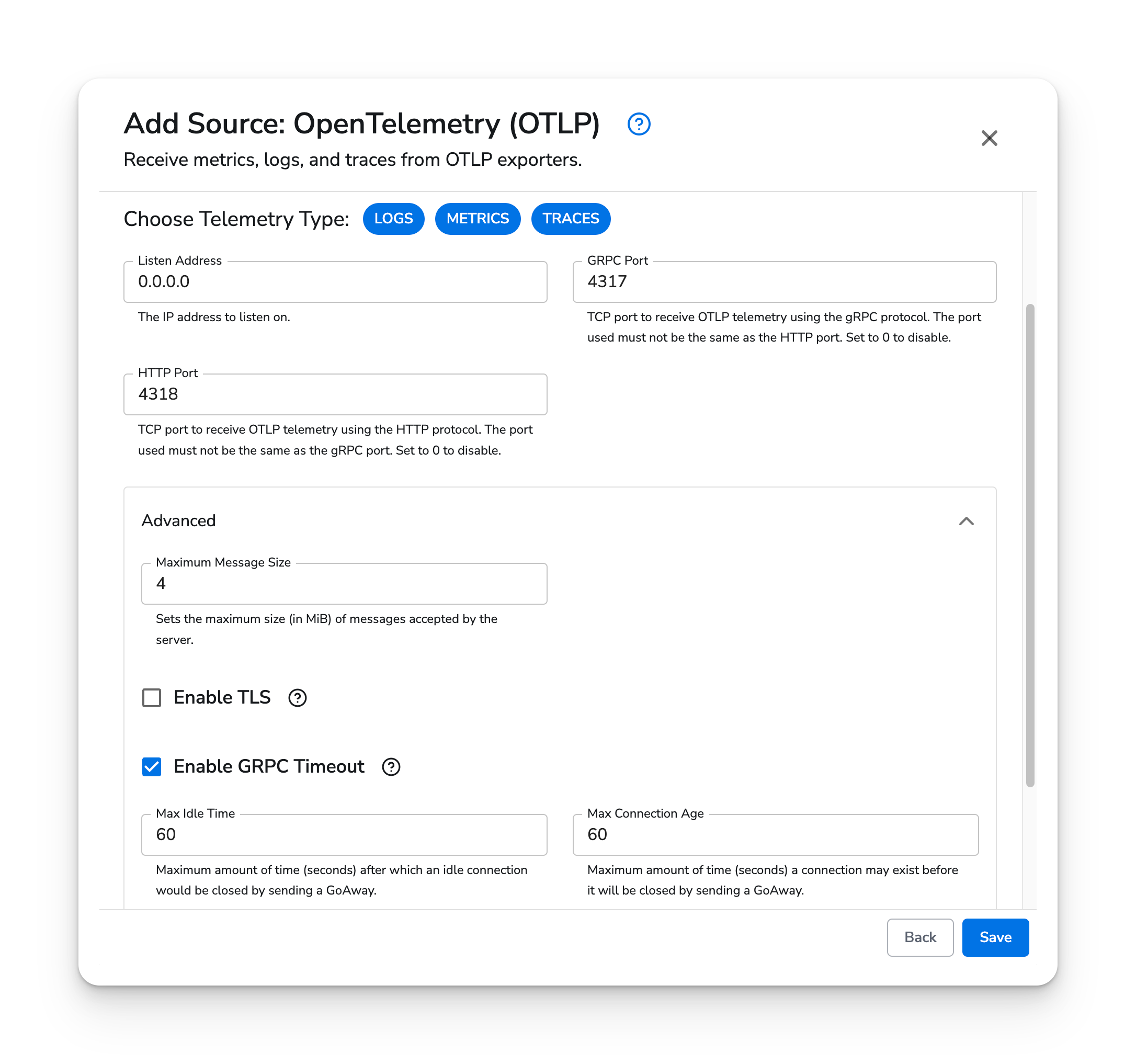
The OTLP source type does not have any required fields. By default, the OTLP source will listen on ports 4317/gRPC and 4318/HTTP on all IP addresses without TLS.
Kubernetes
The OTLP source type supports Kubernetes, OpenShift Node (DaemonSet), and Gateway agents. Applications within the cluster can forward metrics, logs, and traces to the agents using the clusterIP services.
Prerequisites
- Honeycomb Telemetry Pipeline v1.31.0 or newer
Configuration
The OTLP source type does not require additional configuration. It can be attached to any Kubernetes, OpenShift Node (DaemonSet), or Gateway configuration.
The following endpoints can forward telemetry to the managed Node (DaemonSet) agents.
| Protocol | Service | Endpoint |
|---|
| gRPC | clusterIP | bindplane-node-agent.bindplane-agent.svc.cluster.local:4317 |
| gRPC | headless clusterIP | bindplane-node-agent-headless.bindplane-agent.svc.cluster.local:4317 |
| HTTP | clusterIP | http://bindplane-node-agent.bindplane-agent.svc.cluster.local:4318 |
The following endpoints can forward telemetry to the managed Gateway agents.
| Protocol | Service | Endpoint |
|---|
| gRPC | clusterIP | bindplane-gateway-agent.bindplane-agent.svc.cluster.local:4317 |
| gRPC | headless clusterIP | bindplane-gateway-agent-headless.bindplane-agent.svc.cluster.local:4317 |
| HTTP | clusterIP | http://bindplane-gateway-agent.bindplane-agent.svc.cluster.local:4318 |
It is a matter of preference if you should forward telemetry to the DaemonSet or Gateway agents. It is recommended to use the Gateway agent, if DaemonSet resource consumption is a concern, as the Gateway agent can scale independent of cluster size.