> ## Documentation Index
> Fetch the complete documentation index at: https://docs.honeycomb.io/llms.txt
> Use this file to discover all available pages before exploring further.
# Splunk (HEC)
Ent+
This feature is available as an add-on for the [Honeycomb Enterprise plan](https://www.honeycomb.io/pricing/).
Please contact your Honeycomb account team for details.
## Description
The Splunk HTTP Event Collector source can be used to receive events (logs) from applications that emit events in the Splunk HEC format. Events are converted to OTLP format and can be sent to any destination.
The HEC source can be combined with the [Splunk HEC Destination](https://observiq.com/docs/integrations/destinations/splunk-hec). This allows Telemetry Pipeline's agent to sit in the middle of a Splunk pipeline, giving you the ability to leverage Telemetry Pipeline's processing capabilities.
## Supported Platforms
| Platform | Metrics | Logs | Traces |
| :----------------- | :------ | :--- | :----- |
| Linux | | ✓ | |
| Windows | | ✓ | |
| macOS | | ✓ | |
| Kubernetes Gateway | | ✓ | |
## Configuration Table
| Parameter | Type | Default | Description |
| :------------------------- | :------- | :-------- | :----------------------------------------------------------------------------------------------------------------------- |
| listen\_port | `int` | 8888 | Port to listen on. |
| listen\_ip | `string` | "0.0.0.0" | IP Address to listen on. |
| access\_token\_passthrough | `string` | false | Whether to preserve incoming access token (Splunk header value) as "com.splunk.hec.access\_token" metric resource label. |
| enable\_tls | `bool` | false | Whether or not to use TLS. |
| tls\_certificate\_path | `string` | | Path to the TLS cert to use for TLS-required connections. |
| tls\_private\_key\_path | `string` | | Path to the TLS key to use for TLS-required connections. |
## Example Configuration
The HEC source type has two required parameters:
* Listen IP Address
* Listening Port
It is recommended to enable the Access Token Passthrough option if you wish to preserve the Splunk access token header as a resource attribute `com.splunk_hec.access_token`.
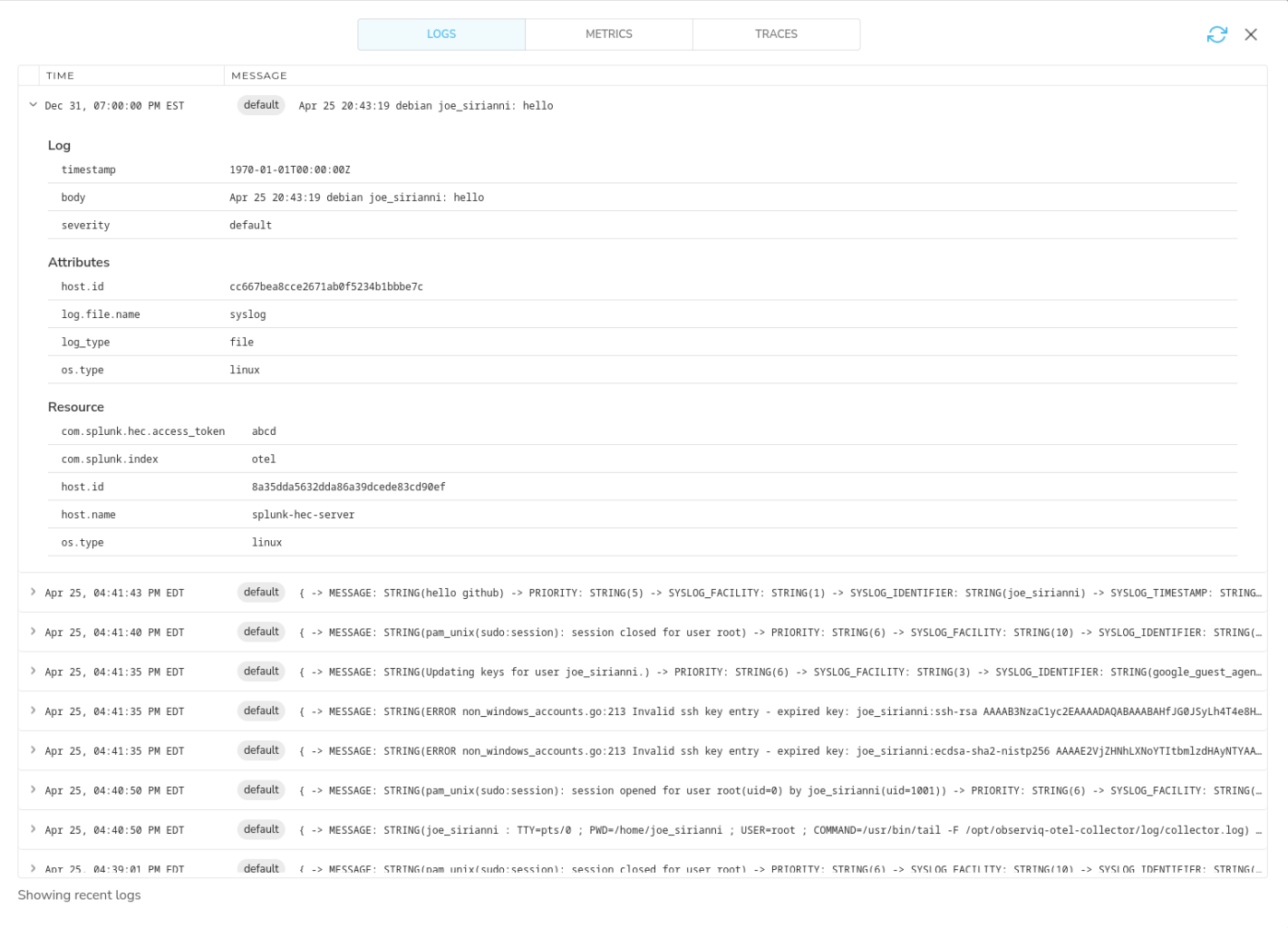
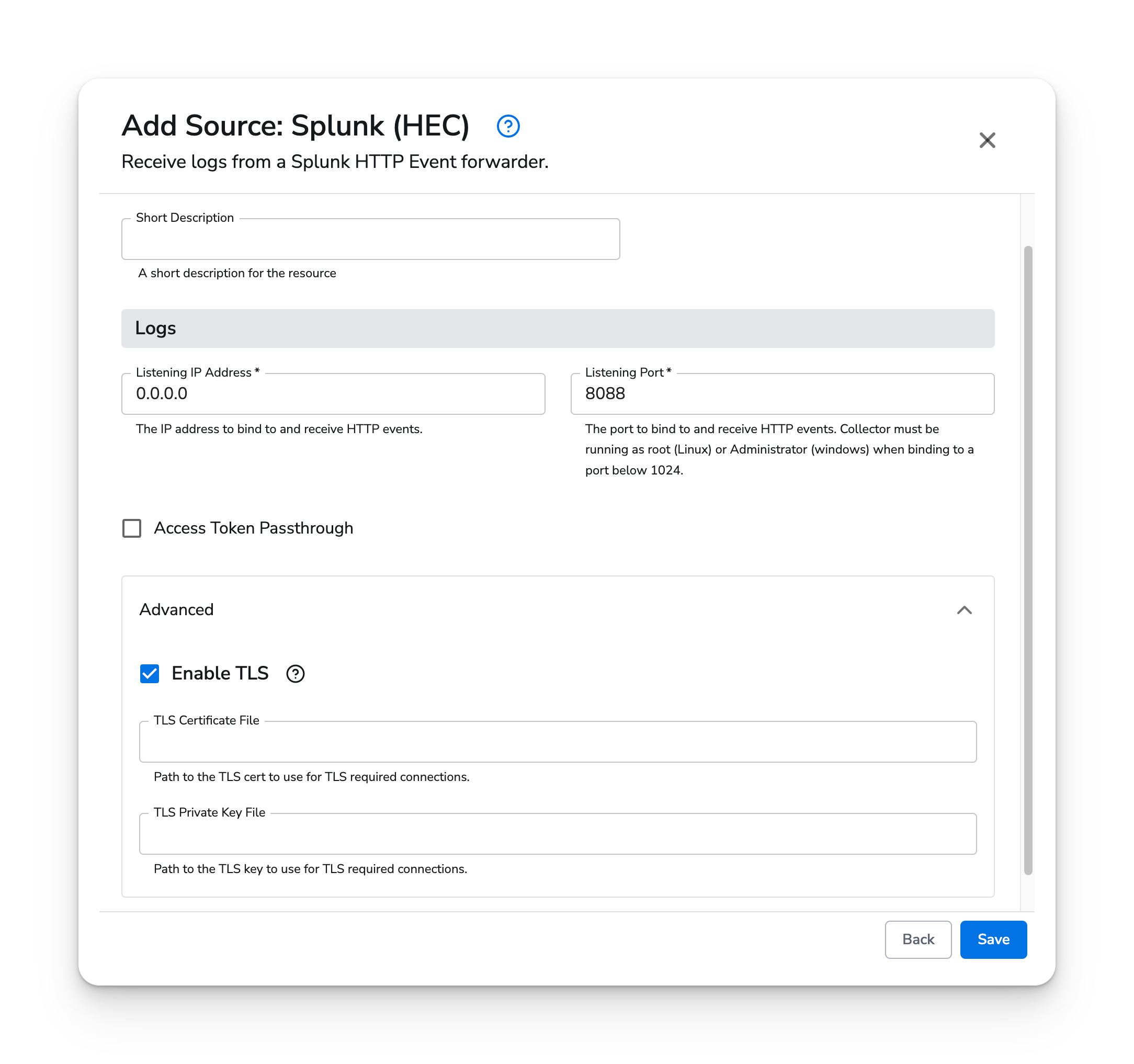 Once configured, incoming events will be displayed as logs like this:
 ## Kubernetes
The Splunk HEC source type supports Kubernetes Gateway agents. Splunk HEC forwarders can send logs to
the agents using the clusterIP services.
### Prerequisites
* Honeycomb Telemetry Pipeline v1.49.0 or newer
### Configuration
Add the Splunk HEC source to your Gateway agent configuration. Set "Listen Address" to `0.0.0.0` and
Listen Port to `8088`.
The Splunk forwarders should be configured to forward telemetry to `bindplane-gateway-agent.bindplane-agent.svc.cluster.local`
on port `8088`. If the Splunk forwarders live outside of the cluster, you must make the `bindplane-gateway-agent`
service in the `bindplane-agent` namespace available using TCP ingress or by defining your own service
that can receive traffic from outside of the cluster. See the Kubernetes [service documentation](https://kubernetes.io/docs/tutorials/kubernetes-basics/expose/expose-intro/) for more information.
## Kubernetes
The Splunk HEC source type supports Kubernetes Gateway agents. Splunk HEC forwarders can send logs to
the agents using the clusterIP services.
### Prerequisites
* Honeycomb Telemetry Pipeline v1.49.0 or newer
### Configuration
Add the Splunk HEC source to your Gateway agent configuration. Set "Listen Address" to `0.0.0.0` and
Listen Port to `8088`.
The Splunk forwarders should be configured to forward telemetry to `bindplane-gateway-agent.bindplane-agent.svc.cluster.local`
on port `8088`. If the Splunk forwarders live outside of the cluster, you must make the `bindplane-gateway-agent`
service in the `bindplane-agent` namespace available using TCP ingress or by defining your own service
that can receive traffic from outside of the cluster. See the Kubernetes [service documentation](https://kubernetes.io/docs/tutorials/kubernetes-basics/expose/expose-intro/) for more information.