> ## Documentation Index
> Fetch the complete documentation index at: https://docs.honeycomb.io/llms.txt
> Use this file to discover all available pages before exploring further.
# Okta
> Collect System Logs from Okta
Ent+
This feature is available as an add-on for the [Honeycomb Enterprise plan](https://www.honeycomb.io/pricing/).
Please contact your Honeycomb account team for details.
## Supported Platforms
HTP Agent: `v1.59.0`+
| Platform | Metrics | Logs | Traces |
| :------- | :------ | :--- | :----- |
| Linux | | ✓ | |
| Windows | | ✓ | |
| macOS | | ✓ | |
## Configuration Table
| Parameter | Type | Default | Description |
| :------------- | :------- | :------ | :-------------------------------------------------------------------------------------------------------------------------------------------------------------------------------------------------------------------------------------------------------------- |
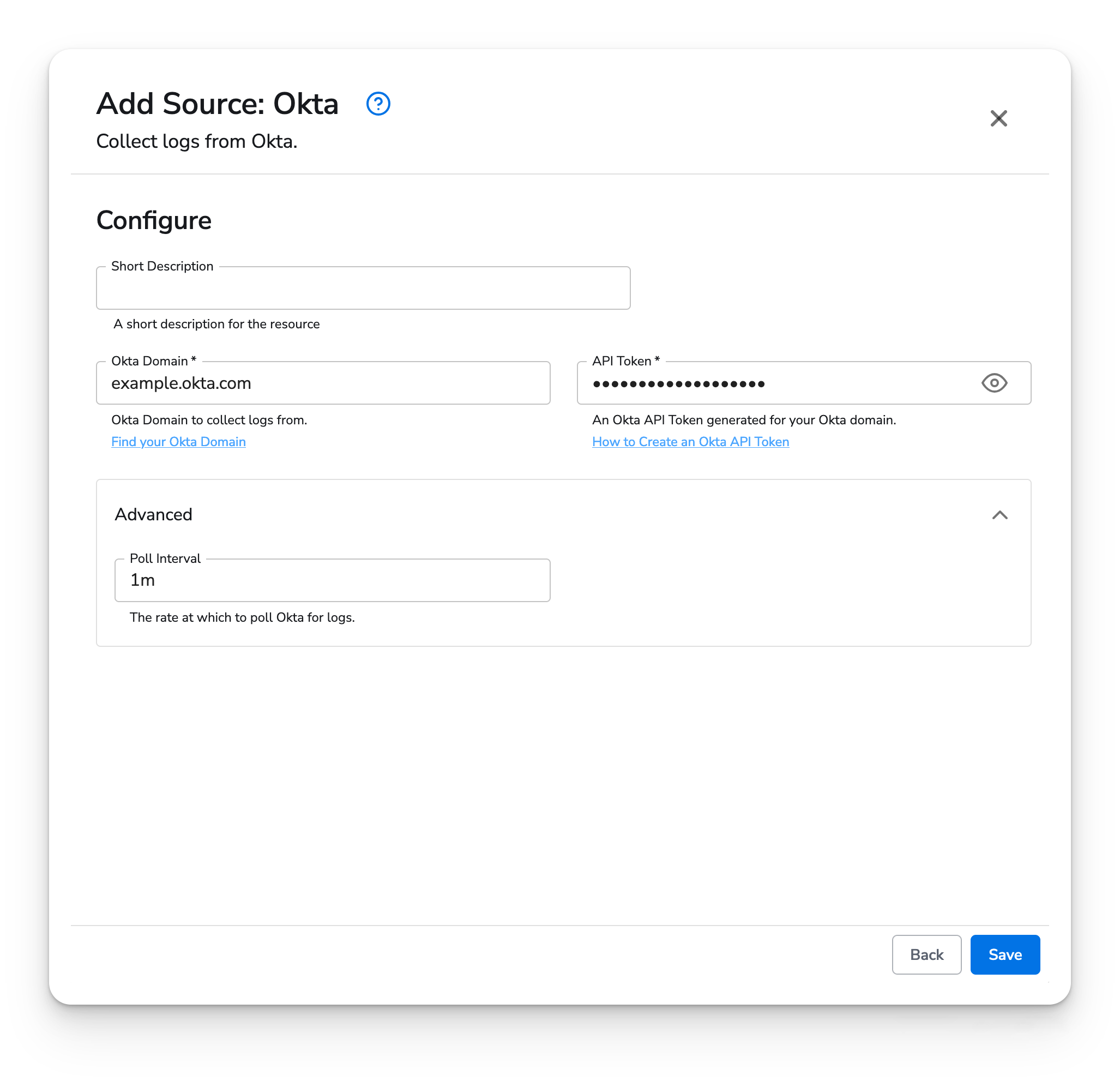
| okta\_domain\* | `string` | | The Okta domain to collect logs from (Excluding "https\://").
[Find your Okta Domain](https://developer.okta.com/docs/guides/find-your-domain/main/) |
| api\_token\* | `string` | | An Okta API Token generated from the above Okta domain.
[How to Create an Okta API Token](https://support.okta.com/help/s/article/How-to-create-an-API-token?language=en_US) |
| poll\_interval | `string` | 1m | The rate at which this receiver will poll Okta for logs. This value must be in the range \[1 second - 24 hours] and must be a string readable by Golang's [time.ParseDuration](https://pkg.go.dev/time#ParseDuration).
Okta recommends between 60s - 300s. |
Depending on your Okta plan, setting the poll\_interval below 10 seconds risks your API Token getting rate limited. You can increase the rate limit allocated to your API Token to minimize the chances of getting rate limited while using a short poll\_interval. [Okta - Set Token Rate Limits](https://help.okta.com/en-us/content/topics/security/api.htm#Set)
### Example Configuration
#### Web Interface
 #### Standalone Source
```yaml theme={}
apiVersion: bindplane.observiq.com/v1
kind: Source
metadata:
id: okta
name: okta
spec:
type: okta
parameters:
- name: okta_domain
value: example.okta.com
- name: api_token
value: (sensitive)
sensitive: true
- name: poll_interval
value: 60s
```
#### Standalone Source
```yaml theme={}
apiVersion: bindplane.observiq.com/v1
kind: Source
metadata:
id: okta
name: okta
spec:
type: okta
parameters:
- name: okta_domain
value: example.okta.com
- name: api_token
value: (sensitive)
sensitive: true
- name: poll_interval
value: 60s
```