> ## Documentation Index
> Fetch the complete documentation index at: https://docs.honeycomb.io/llms.txt
> Use this file to discover all available pages before exploring further.
# HTTP Log
Ent+
This feature is available as an add-on for the [Honeycomb Enterprise plan](https://www.honeycomb.io/pricing/).
Please contact your Honeycomb account team for details.
## Prerequisites
The log source should be able to send its logs to an endpoint, commonly called "LogPush". The log source should also be able to reach the agent over the network, so any firewall rules must be adjusted to allow TCP and HTTP traffic to flow to the configured IP address and port.
## Request Format
The request body should be JSON for requests made to the HTTP log receiver.
## Supported Platforms
HTP Agent: `v1.39.0`+
| Platform | Metrics | Logs | Traces |
| :------- | :------ | :--- | :----- |
| Linux | | ✓ | |
| Windows | | ✓ | |
| macOS | | ✓ | |
### Configuration
| Field | Description |
| :----------------- | :------------------------------------------------------------------------------------------------------------------------------------------------ |
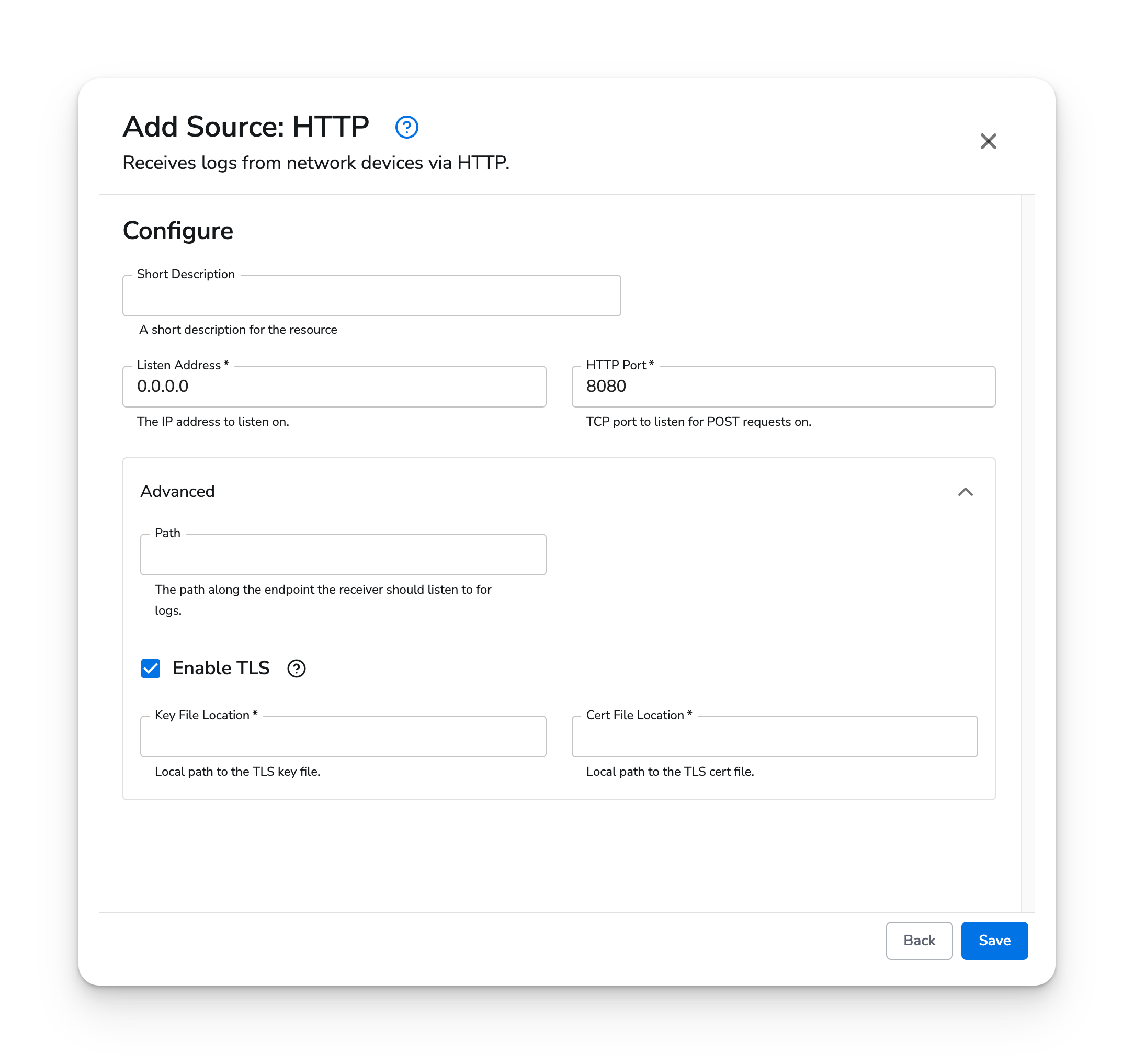
| Listen Address | Specifies what IP address the receiver should listen on for logs being sent as POST requests. |
| HTTP Port | Specifies what port the receiver should use for listening for logs. |
| Path | Specifies a path the receiver should be listening to for logs. Useful when the log source also sends other data to the endpoint, such as metrics. |
| Enable TLS | Option to configure the receiver's HTTP server to use TLS. |
| Cert File Location | Local path to the TLS cert file. |
| Key File Location | Local path to the TLS key file. |
## Example Configuration
### Basic Configuration
For basic configuration, only the `listen_address` and `http_port` parameters are needed.
#### Web Interface
 #### Standalone Source
```yaml YAML theme={}
apiVersion: bindplane.observiq.com/v1
kind: Source
metadata:
id: http
name: http
spec:
type: http
parameters:
- name: listen_address
value: '0.0.0.0'
- name: http_port
value: '12345'
```
#### Standalone Source
```yaml YAML theme={}
apiVersion: bindplane.observiq.com/v1
kind: Source
metadata:
id: http
name: http
spec:
type: http
parameters:
- name: listen_address
value: '0.0.0.0'
- name: http_port
value: '12345'
```