> ## Documentation Index
> Fetch the complete documentation index at: https://docs.honeycomb.io/llms.txt
> Use this file to discover all available pages before exploring further.
# HTTP Check
Ent+
This feature is available as an add-on for the [Honeycomb Enterprise plan](https://www.honeycomb.io/pricing/).
Please contact your Honeycomb account team for details.
## Supported Platforms
HTP Agent: `v1.40.0`+
| Platform | Metrics | Logs | Traces |
| :------- | :------ | :--- | :----- |
| Linux | ✓ | | |
| Windows | ✓ | | |
| macOS | ✓ | | |
### Configuration
| Field | Description |
| :-------------------------------- | :------------------------------------------------------------------------------- |
| Hostname | Specifies the hostname or IP address of the endpoint you want to check. |
| HTTP Port | Specifies what port to listen on. |
| Path | Specifies a path on the URL to perform the check on. |
| Method | Option to configure the HTTP request method to use on the check. |
| Headers | Option to configure the HTTP request headers to be used on the check. |
| Enable TLS | Option to configure the receiver's HTTP server to use TLS. |
| Mutual TLS | Option to enable TLS mutual authentication. |
| Skip TlS Certificate Verification | Option to skip TLS certificate verification. |
| Mutual TLS | Option to enable TLS mutual authentication. |
| TLS Certificate Authority File | Local path to the TLS certificate authority file. |
| TLS Client Certificate File | Local path to the TLS cert file. |
| TLS Client Private Key File | Local path to the TLS key file. |
| Initial Delay | Specifies how long the source should wait (seconds) before conducting the check. |
| Collection Interval | Specifies how often (seconds) to scrape for metrics. |
## Example Configuration
### Basic Configuration
For basic configuration, only the `hostname` and `port` parameters are needed.
#### Web Interface
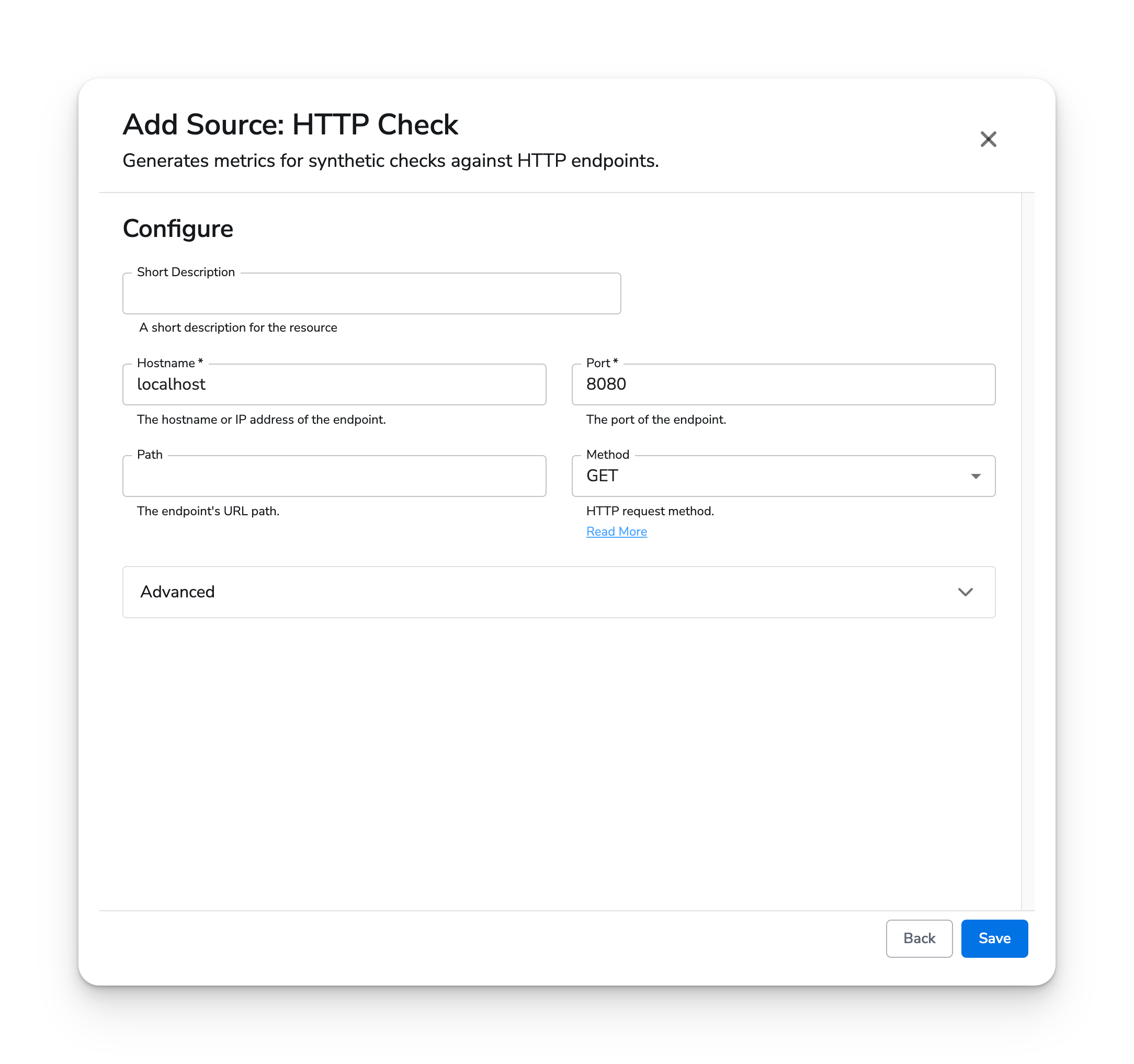
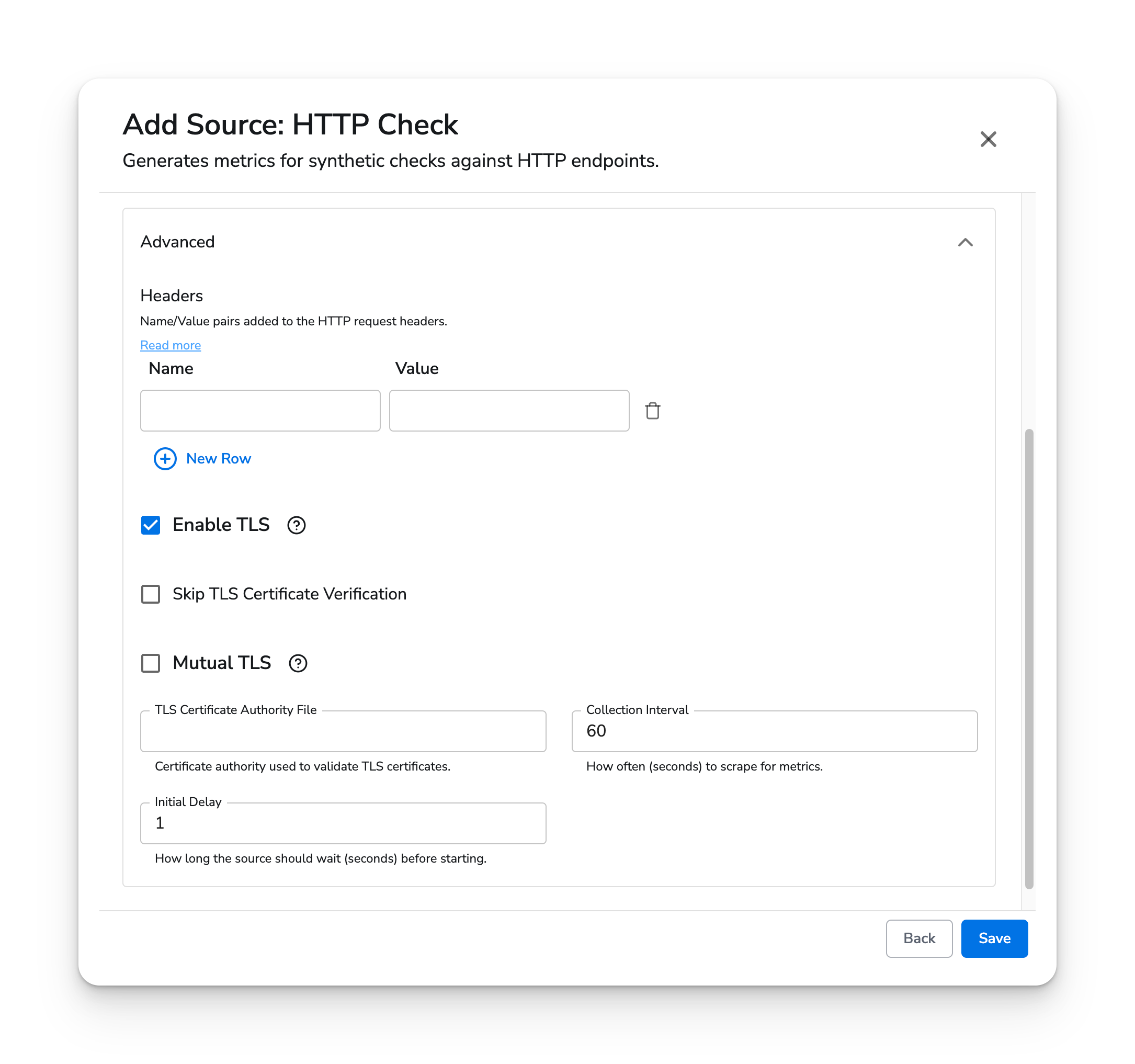 #### Standalone Source
```yaml YAML theme={}
apiVersion: bindplane.observiq.com/v1
kind: Source
metadata:
id: http
name: http
spec:
type: http
parameters:
- name: hostname
value: 'localhost'
- name: port
value: '8080'
- name: path
value: 'metrics'
- name: method
value: 'GET'
- name: enable_tls
value: 'false'
- name: initial_delay
value: '1'
- name: collection_interval
value: '60'
```
#### Standalone Source
```yaml YAML theme={}
apiVersion: bindplane.observiq.com/v1
kind: Source
metadata:
id: http
name: http
spec:
type: http
parameters:
- name: hostname
value: 'localhost'
- name: port
value: '8080'
- name: path
value: 'metrics'
- name: method
value: 'GET'
- name: enable_tls
value: 'false'
- name: initial_delay
value: '1'
- name: collection_interval
value: '60'
```