> ## Documentation Index
> Fetch the complete documentation index at: https://docs.honeycomb.io/llms.txt
> Use this file to discover all available pages before exploring further.
# Azure Event Hub
Ent+
This feature is available as an add-on for the [Honeycomb Enterprise plan](https://www.honeycomb.io/pricing/).
Please contact your Honeycomb account team for details.
## Prerequisites
The source must have access to an Azure Event Hub with the necessary permissions, the minimum permission being `Listen`. You can configure resources' Diagnostic settings to send logs to the Azure Event Hub. Read more here: [Azure Event Hub](https://learn.microsoft.com/en-us/azure/azure-monitor/essentials/diagnostic-settings).
Each event hub should only accept one telemetry type.
## Supported Platforms
HTP Agent: `v1.39.0`+
| Platform | Metrics | Logs | Traces |
| :------- | :------ | :--- | :----- |
| Linux | ✓ | ✓ | |
| Windows | ✓ | ✓ | |
| macOS | ✓ | ✓ | |
## Configuration
| Field | Description |
| :------------- | :-------------------------------------------------------------------------------------------- |
| Telemetry Type | The type of telemetry to gather with this receiver. |
| Connection | A string describing the connection to an Azure event hub. |
| Consumer Group | The Consumer Group to read from. Defaults to `$Default` if empty. |
| Partition | The partition to watch. If empty, it will watch all partitions. |
| Offset | The offset at which to start watching the event hub. If empty, starts with the latest offset. |
## Example Configuration
### Basic Configuration
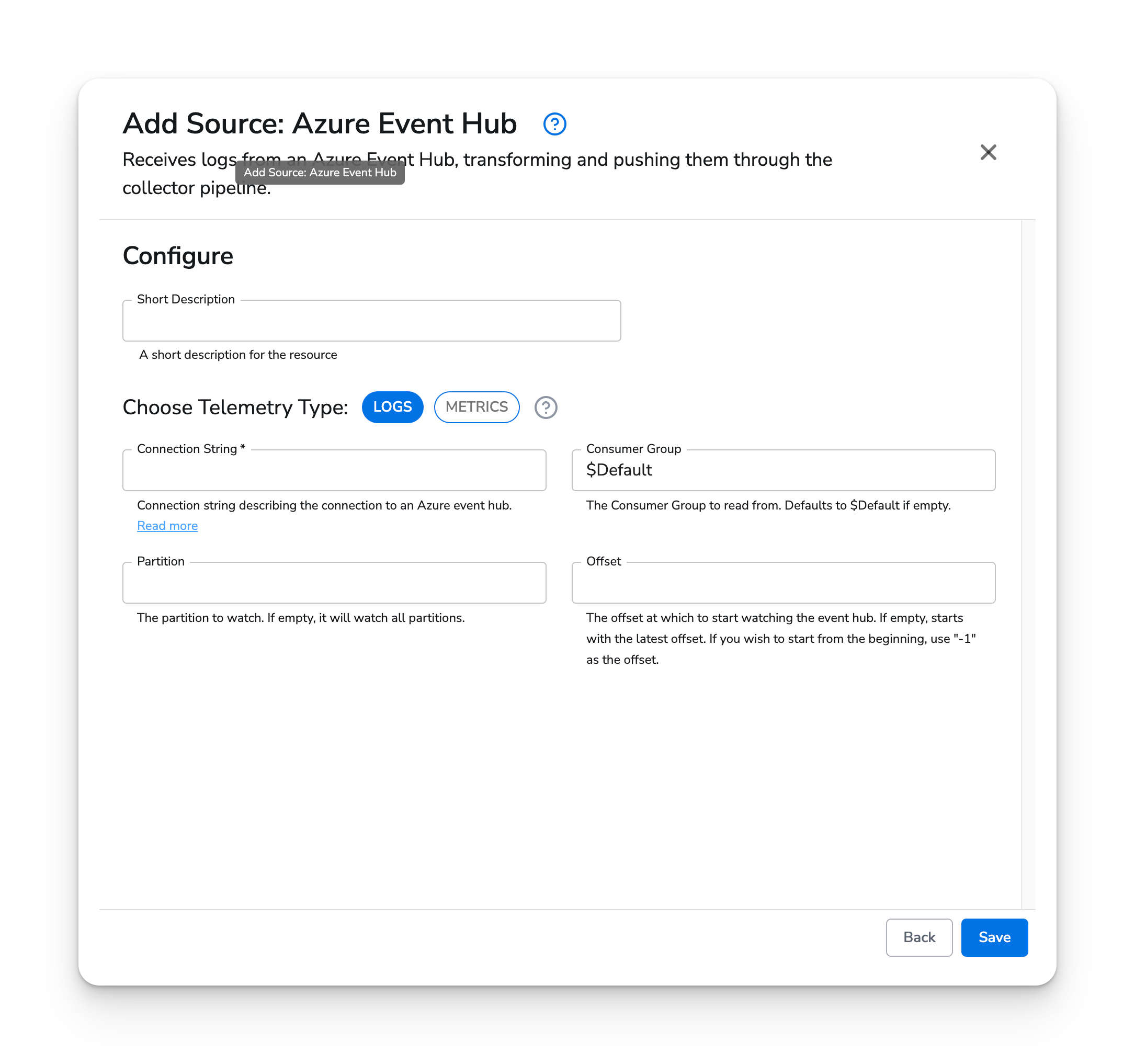
For basic configuration, the `connection` parameter is required. Optionally, specify consumer group, `partition`, and `offset`.
#### Web Interface
 #### Standalone Source
```yaml YAML theme={}
apiVersion: bindplane.observiq.com/v1
kind: Source
metadata:
id: azure_event_hub
name: azure_event_hub
spec:
type: azure_event_hub
parameters:
- name: telemetry_types
value: Logs
- name: connection
value: ''
- name: group
value: '$Default' # optional
- name: partition
value: '1' # optional
- name: offset
value: '-1' # optional
```
#### Standalone Source
```yaml YAML theme={}
apiVersion: bindplane.observiq.com/v1
kind: Source
metadata:
id: azure_event_hub
name: azure_event_hub
spec:
type: azure_event_hub
parameters:
- name: telemetry_types
value: Logs
- name: connection
value: ''
- name: group
value: '$Default' # optional
- name: partition
value: '1' # optional
- name: offset
value: '-1' # optional
```