> ## Documentation Index
> Fetch the complete documentation index at: https://docs.honeycomb.io/llms.txt
> Use this file to discover all available pages before exploring further.
# AWS S3 Rehydration
Ent+
This feature is available as an add-on for the [Honeycomb Enterprise plan](https://www.honeycomb.io/pricing/).
Please contact your Honeycomb account team for details.
## Object Format
Rehydrated data must be in [OTLP format JSON](https://github.com/open-telemetry/opentelemetry-proto) for correct processing. Ensure your data adheres to this format.
The [AWS S3 Destination](/send-data/telemetry-pipeline/destinations/aws-s3/) supports `gzip` compression. This receiver will gracefully detect and handle if any data is gzipped or uncompressed.
## Supported Platforms
| Platform | Supported |
| :------- | :-------- |
| Linux | ✓ |
| Windows | ✓ |
| macOS | ✓ |
## Configuration Fields
| Field | Description |
| :---------------- | :----------------------------------------------------------------------------------------------------------------------------------------- |
| Region | The AWS recognized region string |
| Bucket | Name of the S3 Bucket to rehydration telemetry from. |
| Folder Prefix | Root directory of the bucket to rehydration telemetry from. |
| Poll Interval | The interval for checking new objects, e.g., '1m' for one minute. |
| Starting Time | UTC start time for rehydration in the format `YYYY-MM-DDTHH:MM`. |
| Ending Time | UTC end time for rehydration in the format `YYYY-MM-DDTHH:MM`. |
| Delete on Read | If true, objects are deleted after rehydration. |
| Enable Storage | Enable to specify a storage extension for tracking rehydration progress. |
| Storage Directory | Directory for storing rehydration state, useful for maintaining state and resuming operations. (Only relevant if `Enable Storage` is true) |
## Example Configuration
### Basic Configuration
This configuration sets up AWS S3 Rehydration with necessary details such as Region, Bucket, and time range for rehydration.
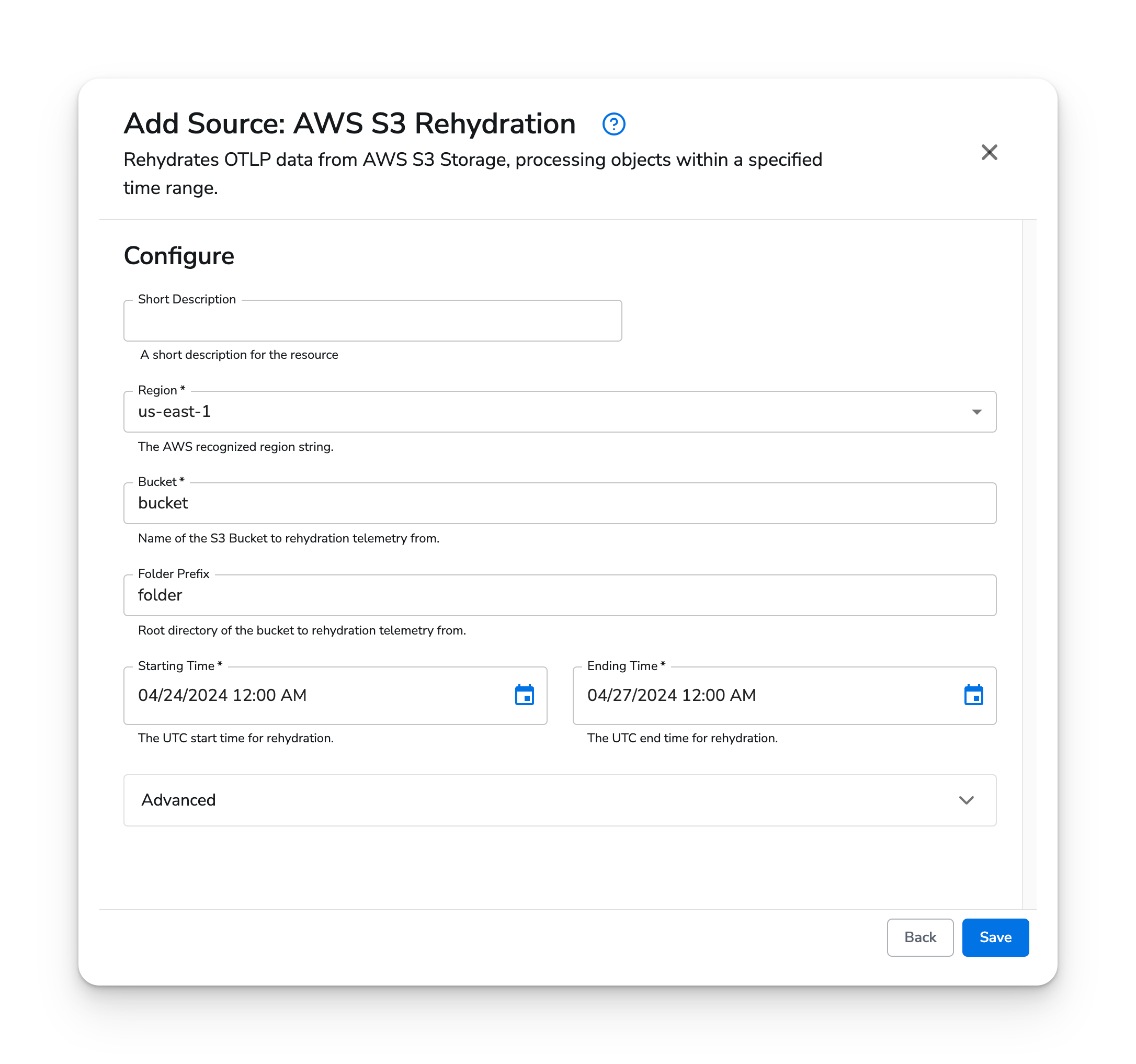 Adjust the Region, Bucket, Starting Time, and Ending Time to match your configuration.