> ## Documentation Index
> Fetch the complete documentation index at: https://docs.honeycomb.io/llms.txt
> Use this file to discover all available pages before exploring further.
# Rename Field
Ent+
This feature is available as an add-on for the [Honeycomb Enterprise plan](https://www.honeycomb.io/pricing/).
Please contact your Honeycomb account team for details.
## Description
The Rename Fields processor can be used to rename resource, attribute, and log body fields.
## Supported Types
| Metrics | Logs | Traces |
| :------ | :--- | :----- |
| ✓ | ✓ | ✓ |
## Configuration Table
| Parameter | Type | Default | Description |
| :--------------- | :------------------ | :------------------------------ | :---------------------------------------------------------------------------------------------------------------------------------------------------- |
| telemetry\_types | `telemetrySelector` | `["Logs", "Metrics", "Traces"]` | The list of telemetry types the processor will act on. |
| Condition | `string` | `true` | An OTTL condition that must evaluate to true to apply this processor. By default, the processor applies to all telemetry. |
| Field Type | `string` | `attributes` | Determines whether the field is renamed in the body, attributes, or resource fields of the telemetry. Note: Body fields are applicable only for logs. |
| Old Name | `string` | `""` | Specifies the existing field in the telemetry that the processor will rename. |
| New Name | `string` | `""` | Indicates the new field name that will replace the old field name in the telemetry data. |
## Example Configuration
### Renaming log body fields
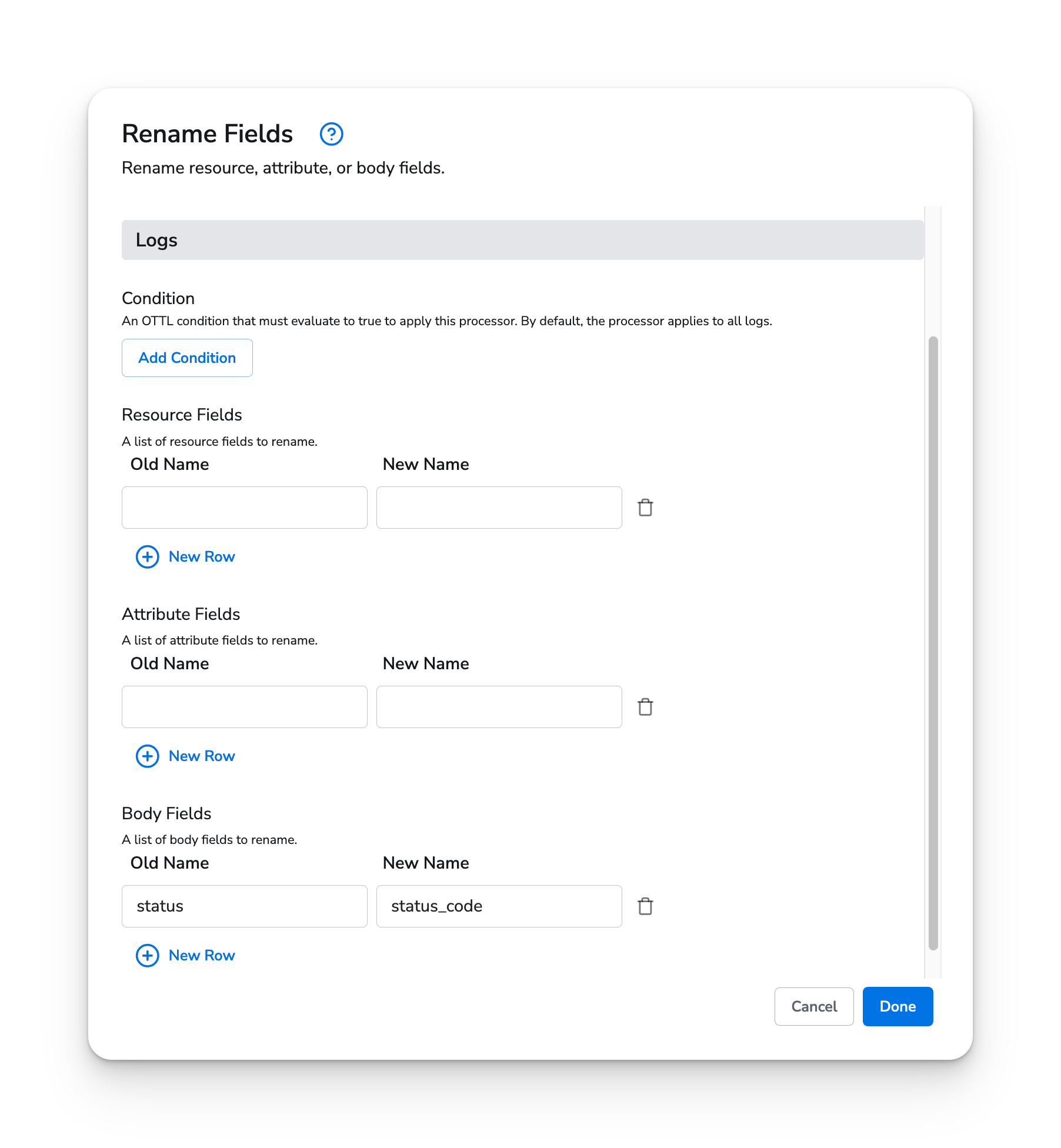
In this example, we rename the `status` field in a log body to `status_code`. Since this change only applies to logs, we have disabled metrics and traces for this processor.
#### Web Interface
 #### Standalone Processor
```yaml theme={}
apiVersion: bindplane.observiq.com/v1
kind: Processor
metadata:
id: rename_fields_v2
name: rename_fields_v2
spec:
type: rename_fields_v2
parameters:
- name: telemetry_types
value: ['Logs']
- name: condition
value: 'true'
- name: fields
value:
- fieldType: body
key: status
value: status_code
```
#### Standalone Processor
```yaml theme={}
apiVersion: bindplane.observiq.com/v1
kind: Processor
metadata:
id: rename_fields_v2
name: rename_fields_v2
spec:
type: rename_fields_v2
parameters:
- name: telemetry_types
value: ['Logs']
- name: condition
value: 'true'
- name: fields
value:
- fieldType: body
key: status
value: status_code
```