> ## Documentation Index
> Fetch the complete documentation index at: https://docs.honeycomb.io/llms.txt
> Use this file to discover all available pages before exploring further.
# Lookup Fields
Ent+
This feature is available as an add-on for the [Honeycomb Enterprise plan](https://www.honeycomb.io/pricing/).
Please contact your Honeycomb account team for details.
## Description
The Lookup Fields processor can be used to add matching telemetry fields from a CSV file.
## Use
The Lookup Fields processor is used to dynamically add fields based on an existing telemetry value. For each unit of telemetry processed, this processor will
grab the value of a field and perform a lookup using a CSV file. If that value exists, the processor will add all other fields associated with that CSV row.
The processor re-reads the CSV file every 60 seconds, allowing updates to be made without restarting the agent.
## Supported Types
| Metrics | Logs | Traces | Telemetry Pipeline Agent |
| :------ | :--- | :----- | :----------------------- |
| ✓ | ✓ | ✓ | `v1.45.0\`+ |
## Configuration
| Field | Description |
| :------ | :----------------------------------------------------------------------------------------------------------------------------------------------------------------------------- |
| CSV | The CSV file used to perform a lookup operation. |
| Context | The context of the lookup operation. The source field must exist here in order to perform a lookup. If a lookup succeeds, all matching fields are also added to this location. |
| Field | The field to lookup in the specified context. A lookup operation is performed if the name and value of this field match a header and value in the CSV file. |
## Example Configuration(s)
### Adding Fields Based on Host
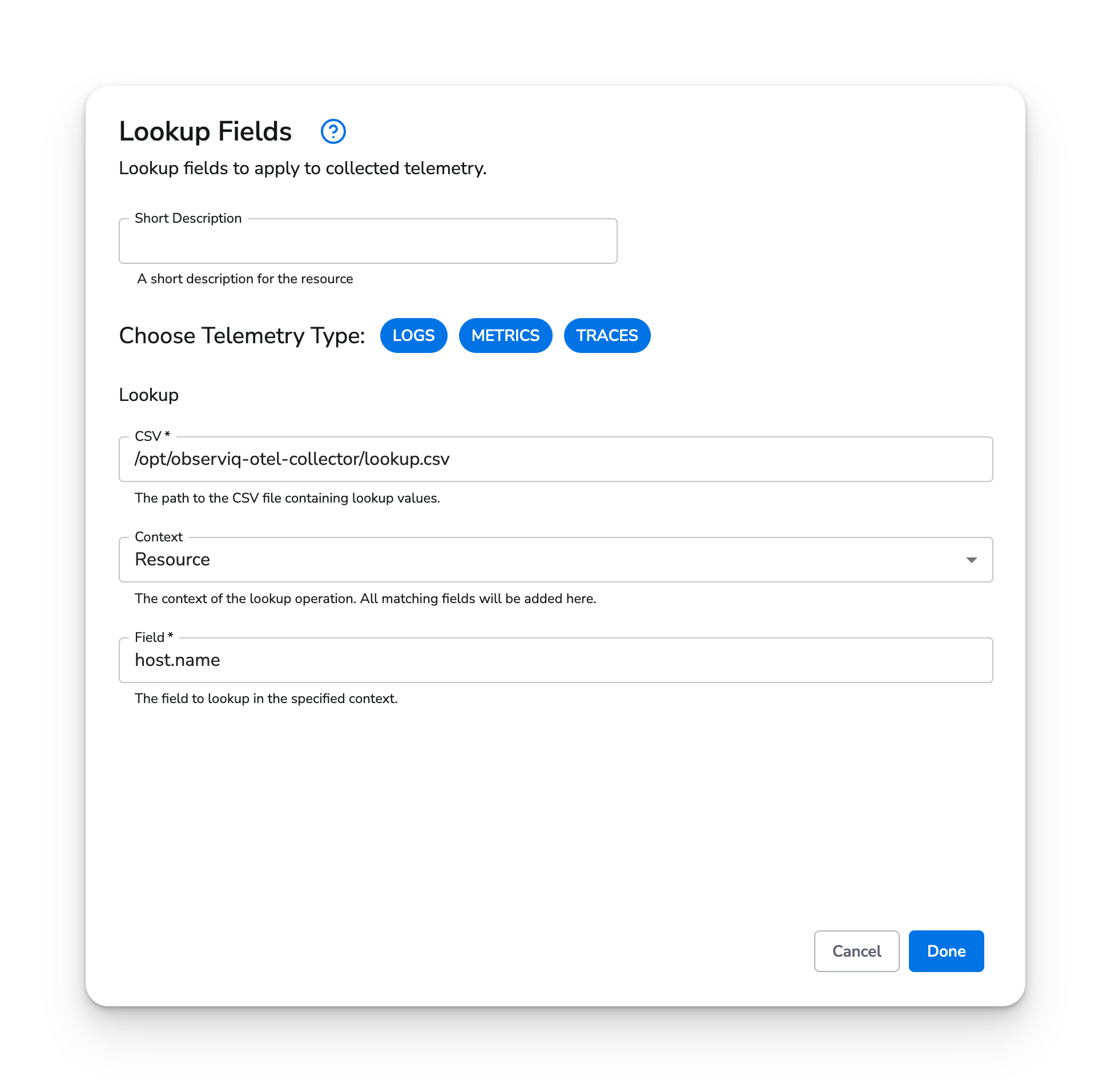
In this configuration, the processor will perform a lookup on the `host.name` value of all incoming metrics. If this field exists on the resource of a metric and the specified CSV file contains a matching value with that header, all other fields in that CSV row will be added to the metric. For example, in this particular configuration, if a metric has a value of `MacBook-Pro-4.local` for `host.name`, the corresponding values for `region` and `env` will automatically be added to the same context.
#### Web Interface
 #### Example CSV
```csv theme={}
host.name,region,env
MacBook-Pro-4.local,us-east,prod
MacBook-Pro-3.local,us-west,dev
MacBook-Pro-2.local,us-central,dev
MacBook-Pro-1.local,us-central,prod
```
#### Example CSV
```csv theme={}
host.name,region,env
MacBook-Pro-4.local,us-east,prod
MacBook-Pro-3.local,us-west,dev
MacBook-Pro-2.local,us-central,dev
MacBook-Pro-1.local,us-central,prod
```