> ## Documentation Index
> Fetch the complete documentation index at: https://docs.honeycomb.io/llms.txt
> Use this file to discover all available pages before exploring further.
# Filter Severity
Ent+
This feature is available as an add-on for the [Honeycomb Enterprise plan](https://www.honeycomb.io/pricing/).
Please contact your Honeycomb account team for details.
## Description
The Severity Filter processor can be used to filter out logs that do not meet a given severity threshold.
## Supported Types
| Metrics | Logs | Traces |
| :------ | :--- | :----- |
| | ✓ | |
## Configuration Table
| Parameter | Type | Default | Description |
| :-------- | :------- | :------ | :--------------------------------------------------------------------------------------------------------------------------------------------------------------------- |
| severity | `enum` | `TRACE` | Minimum severity to match. Log entries with lower severities will be filtered. |
| condition | `string` | `true` | An [OTTL] expression used to match which log records to sample from. All paths in the [log context] are available to reference. All [converters] are available to use. |
[OTTL]: https://github.com/open-telemetry/opentelemetry-collector-contrib/tree/v0.109.0/pkg/ottl#readme
[converters]: https://github.com/open-telemetry/opentelemetry-collector-contrib/blob/v0.109.0/pkg/ottl/ottlfuncs/README.md#converters
[log context]: https://github.com/open-telemetry/opentelemetry-collector-contrib/blob/v0.109.0/pkg/ottl/contexts/ottllog/README.md
Valid severity levels:
* TRACE
* INFO
* WARN
* ERROR
* FATAL
## Example Configuration
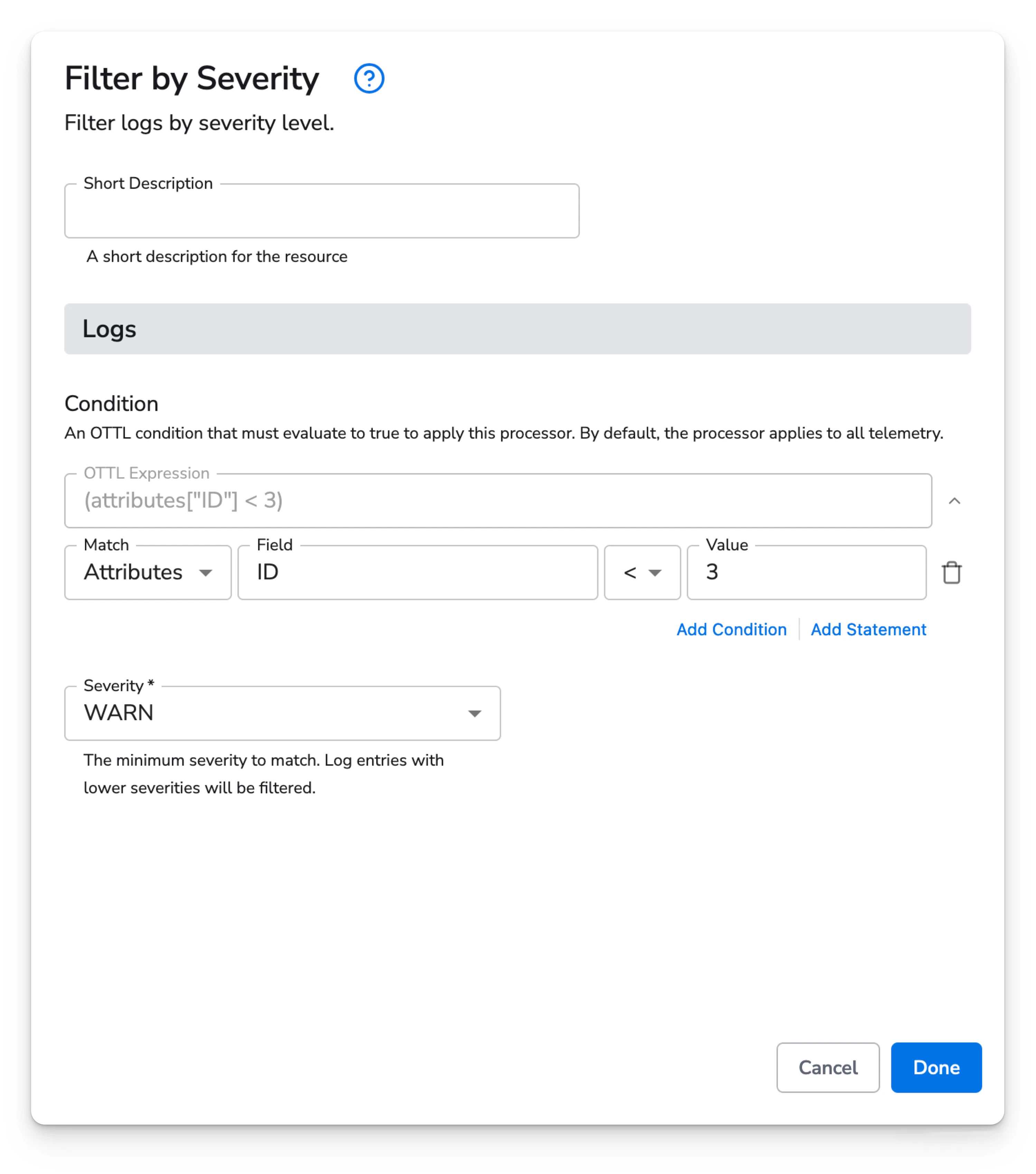
Filter out INFO and TRACE logs where Attribute `ID` is less than 3.
### Web Interface
 ### Standalone Processor
```yaml theme={}
apiVersion: bindplane.observiq.com/v1
kind: Processor
metadata:
id: severity-filter
name: severity-filter
spec:
type: filter_severity
parameters:
- name: severity
value: WARN
- name: condition
value:
ottl: (attributes["ID"] < 3)
ui:
operator: ''
statements:
- key: ID
match: attributes
operator: <
value: '3'
```
### Configuration with Embedded Processor
```yaml theme={}
apiVersion: bindplane.observiq.com/v1
kind: Configuration
metadata:
id: severity-filter
name: severity-filter
labels:
platform: linux
spec:
sources:
- type: journald
parameters:
- name: units
value: []
- name: directory
value: ''
- name: priority
value: info
- name: start_at
value: end
processors:
- type: filter_severity
parameters:
- name: severity
value: WARN
- name: condition
value:
ottl: (attributes["ID"] < 3)
ui:
operator: ''
statements:
- key: ID
match: attributes
operator: <
value: '3'
selector:
matchLabels:
configuration: severity-filter
```
### Standalone Processor
```yaml theme={}
apiVersion: bindplane.observiq.com/v1
kind: Processor
metadata:
id: severity-filter
name: severity-filter
spec:
type: filter_severity
parameters:
- name: severity
value: WARN
- name: condition
value:
ottl: (attributes["ID"] < 3)
ui:
operator: ''
statements:
- key: ID
match: attributes
operator: <
value: '3'
```
### Configuration with Embedded Processor
```yaml theme={}
apiVersion: bindplane.observiq.com/v1
kind: Configuration
metadata:
id: severity-filter
name: severity-filter
labels:
platform: linux
spec:
sources:
- type: journald
parameters:
- name: units
value: []
- name: directory
value: ''
- name: priority
value: info
- name: start_at
value: end
processors:
- type: filter_severity
parameters:
- name: severity
value: WARN
- name: condition
value:
ottl: (attributes["ID"] < 3)
ui:
operator: ''
statements:
- key: ID
match: attributes
operator: <
value: '3'
selector:
matchLabels:
configuration: severity-filter
```