> ## Documentation Index
> Fetch the complete documentation index at: https://docs.honeycomb.io/llms.txt
> Use this file to discover all available pages before exploring further.
# Resource Detection
Ent+
This feature is available as an add-on for the [Honeycomb Enterprise plan](https://www.honeycomb.io/pricing/).
Please contact your Honeycomb account team for details.
## Description
The resource detection processor can be used to detect resource information from the host, in a
format that conforms to the [OpenTelemetry resource semantic conventions](https://opentelemetry.io/docs/concepts/semantic-conventions/),
and append or override the resource value in telemetry data with this information.
## Supported Types
| Metrics | Logs | Traces | Telemetry Pipeline Agent |
| :------ | :--- | :----- | :----------------------- |
| ✓ | ✓ | ✓ | `v1.40.0`+ |
## Configuration Table
| Field | Description |
| :---------------------------- | :--------------------------------------------------------------------------------------------------------------------------------------------------------------------------------------------------------------------------- |
| Detector | Detector(s) to use for resource detection. Available detectors include `aks`, `azure`, `consul`, `ec2`, `eks`, `gcp`, `k8snode`, `openshift`, and `system`. |
| Override | Whether or not to overwrite existing resource attributes. |
| Timeout | Time duration after which a resource detector request will timeout. |
| Hostname Source | When the `system` detector is in use, specifies the source used to detect the system hostname. Options include `os`, `dns`, `cname`, and `lookup`. |
| EC2 Tags | Specifies a list of regex's to match to EC2 instance tag keys that will be added as resource attributes to processed data. |
| K8s Node Environment Variable | The K8s node environment variable that has the node name to retrieve metadata for. Defaults to "KUBE\_NODE\_NAME" because the Telemetry Pipeline Agent has this automatically set. |
| Consul Address | The address of the Consul server. If unset, the environment variable "CONSUL\_HTTP\_ADDR" will be used if it exists. |
| Consul Authentication | The type of authentication to use with Consul. One of 'Token' or 'Token File' is required if Consul's ACL System is enabled. Options are "None", "Token", or "Token File". |
| Consul Token | Token is used to provide a per-request ACL token which overrides the agent's default token. If unset, the environment variable "CONSUL\_HTTP\_TOKEN" will be used if it exists. |
| Consul Token File | Token File is a file containing the current token to use for this client. If provided, it is read once at startup and never again. If unset, the environment variable "CONSUL\_HTTP\_TOKEN\_FILE" will be used if it exists. |
| Consul Datacenter | Optional Consul Datacenter to use. If not provided, the default agent datacenter is used. |
| Consul Namespace | Optional namespace to attach to each Consul request. If unset, the environment variable "CONSUL\_NAMESPACE" will be used if it exists. |
| Consul Metadata Labels | Allowlist of Consul Metadata keys to use as resource attributes. |
Multiple detectors may be selected on a single processor. However, if multiple processors use a common attribute name, the first detector will have precedent.
For more info, see this OTel [documentation](https://github.com/open-telemetry/opentelemetry-collector-contrib/tree/main/processor/resourcedetectionprocessor#ordering).
## Example Configurations
### Google Compute Engine (GCE)
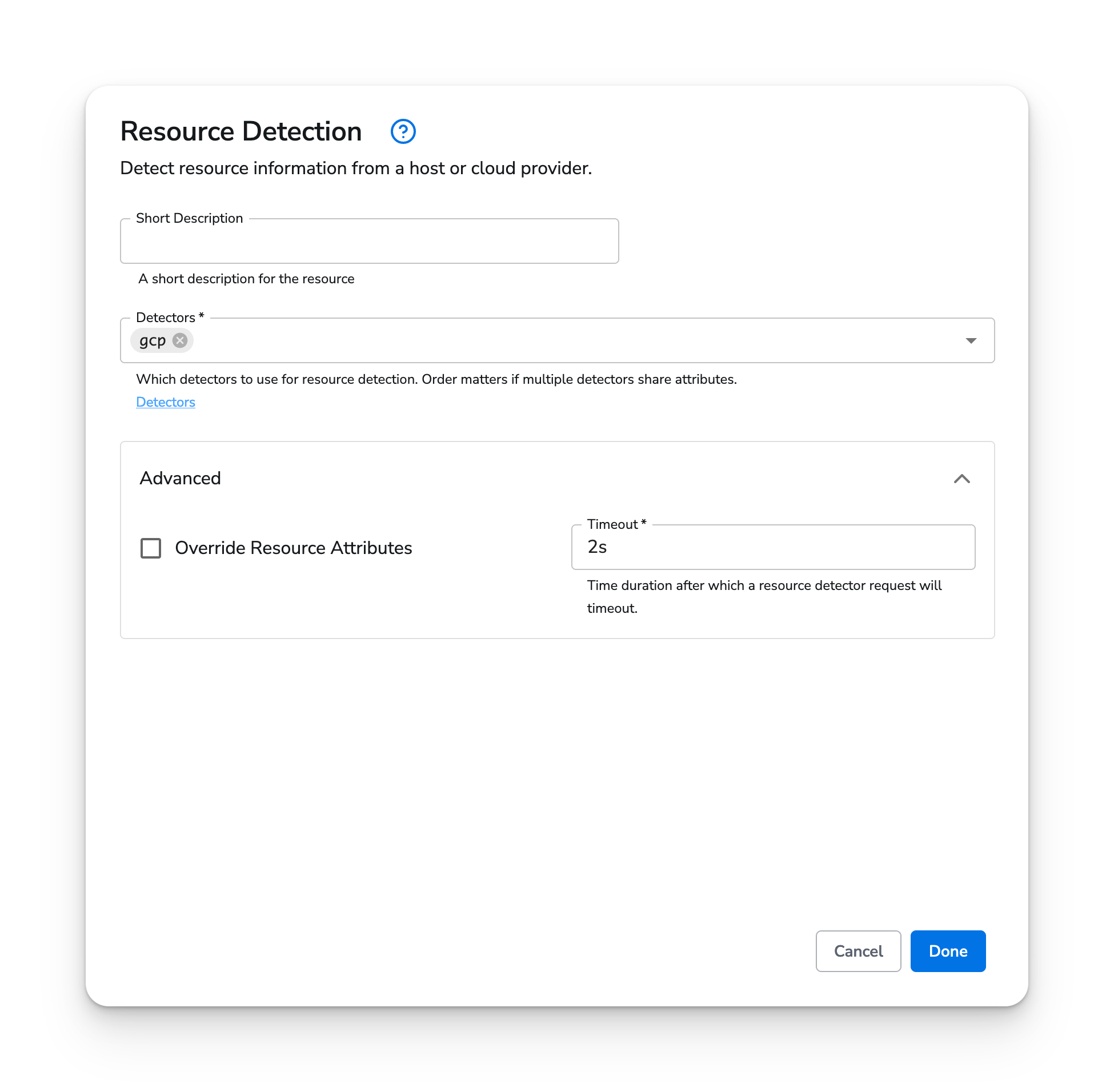
In this example, the Resource Detection Processor is configured to use the [GCP detector](https://github.com/open-telemetry/opentelemetry-collector-contrib/tree/main/processor/resourcedetectionprocessor#gce-metadata) to detect GCE resource attributes.
 ### Amazon EC2
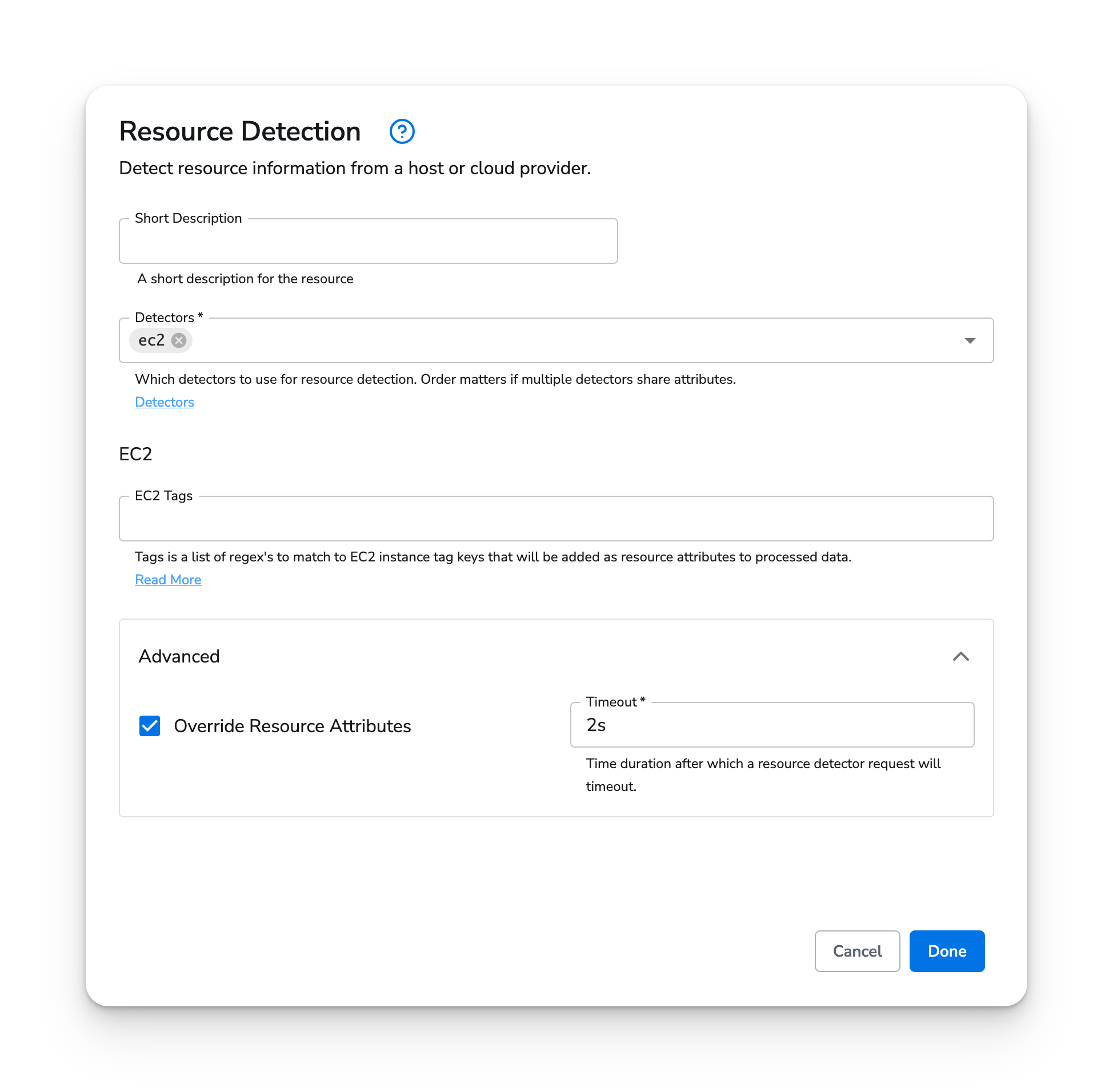
In this example, the Resource Detection Processor is configured to use the [EC2 detector](https://github.com/open-telemetry/opentelemetry-collector-contrib/tree/main/processor/resourcedetectionprocessor#aws-ec2).
### Amazon EC2
In this example, the Resource Detection Processor is configured to use the [EC2 detector](https://github.com/open-telemetry/opentelemetry-collector-contrib/tree/main/processor/resourcedetectionprocessor#aws-ec2).
 ### Azure Compute Instance
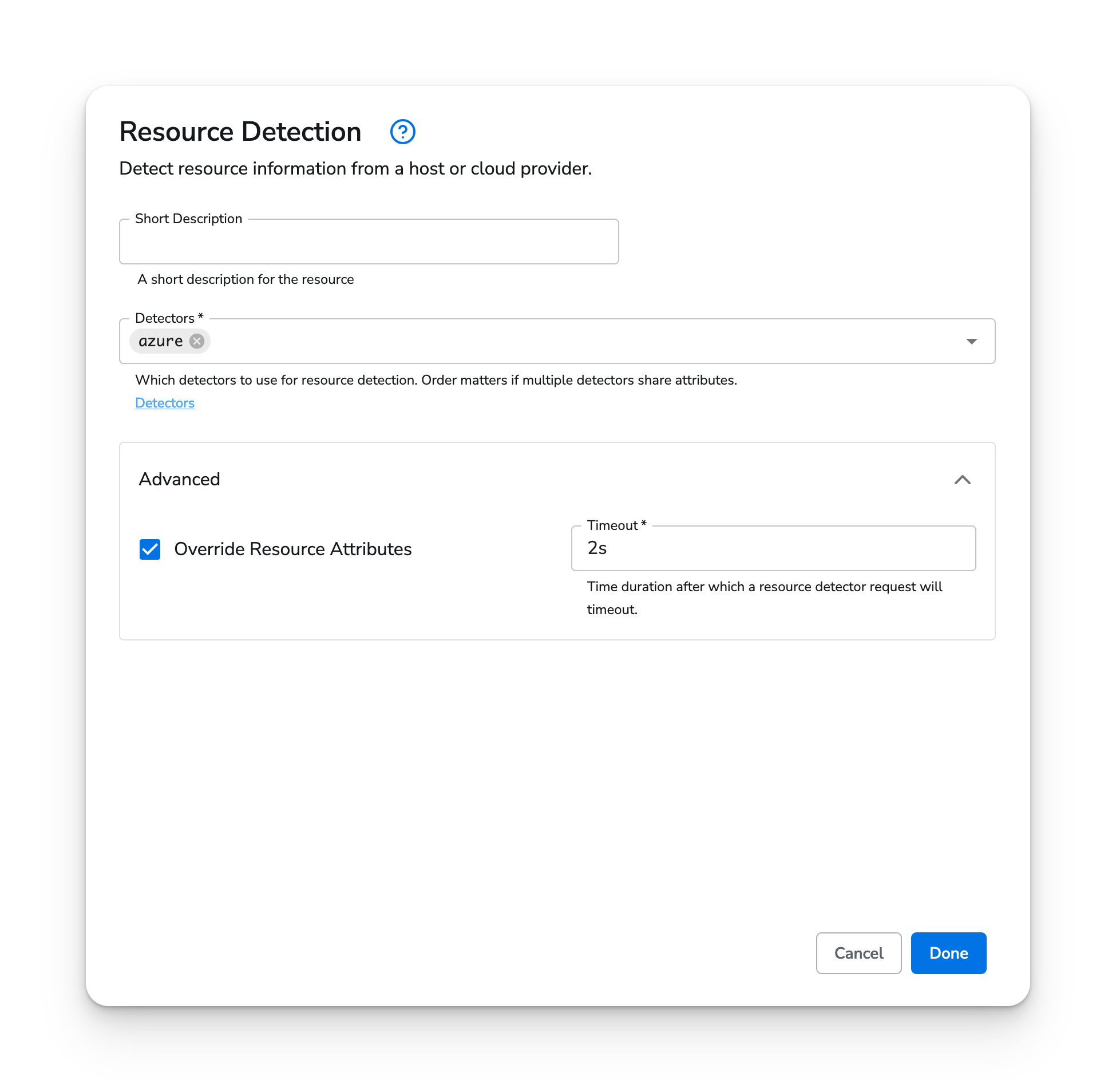
In this example, the Resource Detection Processor is configured to use the [Azure detector](https://github.com/open-telemetry/opentelemetry-collector-contrib/tree/main/processor/resourcedetectionprocessor#azure) to detect Azure Virtual Machine resource attributes.
### Azure Compute Instance
In this example, the Resource Detection Processor is configured to use the [Azure detector](https://github.com/open-telemetry/opentelemetry-collector-contrib/tree/main/processor/resourcedetectionprocessor#azure) to detect Azure Virtual Machine resource attributes.
 ### Kubernetes
The Resource Detection Processor can detect Kubernetes resources on the following platforms: GKE, Amazon EKS, Azure AKS.
Using the GCP detector, you can detect cloud-based Kubernetes resources.
### Kubernetes
The Resource Detection Processor can detect Kubernetes resources on the following platforms: GKE, Amazon EKS, Azure AKS.
Using the GCP detector, you can detect cloud-based Kubernetes resources.