> ## Documentation Index
> Fetch the complete documentation index at: https://docs.honeycomb.io/llms.txt
> Use this file to discover all available pages before exploring further.
# Deduplicate Logs
Ent+
This feature is available as an add-on for the [Honeycomb Enterprise plan](https://www.honeycomb.io/pricing/).
Please contact your Honeycomb account team for details.
## Description
The Deduplicate Logs processor can be used to deduplicate logs over a time range and emit a single log with the count of duplicate logs.
Logs are considered duplicates if the following match:
* Severity
* Log Body
* Resource Attributes
* Log Attributes
## Supported Types
| Metrics | Logs | Traces |
| :------ | :--- | :----- |
| | ✓ | |
## Configuration Table
| Parameter | Type | Default | Description |
| :---------------------- | :-------- | :---------- | :----------------------------------------------------------------------------------------------------------------------------------------------------------------------------------------------------------------------------------------------------------------------------------------- |
| interval\* | `int` | `10` | The interval in seconds on which to aggregate logs. An aggregated log will be emitted after the interval passes. |
| log\_count\_attribute\* | `string` | `log_count` | The name of the count attribute of deduplicated logs that will be added to the emitted log. |
| timezone\* | `string` | `UTC` | The timezone of the `first_observed_timestamp` and `last_observed_timestamp` log attributes that are on the emitted log. |
| include\_fields | `strings` | | A list of fields to include in duplicate matching. Fields can be from the log `body` or `attributes`. This option is mutually exclusive with exclude\_fields. More details can be found [here](#include_fields-parameter). |
| exclude\_fields | `strings` | | A list of fields to exclude from duplicate matching. Fields can be excluded from the log `body` or `attributes`. These fields will not be present in the emitted log. This option is mutually exclusive with include\_fields. More details can be found [here](#exclude_fields-parameter). |
\* *required field*
### `include_fields` Parameter
The `include_fields` parameter allows the user to remove fields from being considered when looking for duplicate logs. Fields can be included from either the `body` or `attributes` of a log. Though the entire `body` cannot be included. Nested fields can be specified by delimiting each part of the path with a `.`. If a field contains a `.` as part of its name it can be escaped by using `\.`.
Below are a few examples and how to specify them:
* Include `timestamp` field from the body -> `body.timestamp`
* Include a `log.file.name` field from the log attributes -> `attributes.log\.file\.name`
* Include a nested `ip` field inside a `src` attribute -> `attributes.src.ip`
### `exclude_fields` Parameter
The `exclude_fields` parameter allows the user to remove fields from being considered when looking for duplicate logs. Fields can be excluded from either the `body` or `attributes` of a log. Though the entire `body` cannot be excluded. Nested fields can be specified by delimiting each part of the path with a `.`. If a field contains a `.` as part of its name it can be escaped by using `\.`.
Below are a few examples and how to specify them:
* Exclude `timestamp` field from the body -> `body.timestamp`
* Exclude a `host.name` field from the log attributes -> `attributes.host\.name`
* Exclude a nested `ip` field inside a `src` attribute -> `attributes.src.ip`
## Example Configuration
### Basic Configuration
Setting a custom `log_count_attribute` and `timezone` while deduplicating logs on a 60 second `interval`.
#### Web Interface
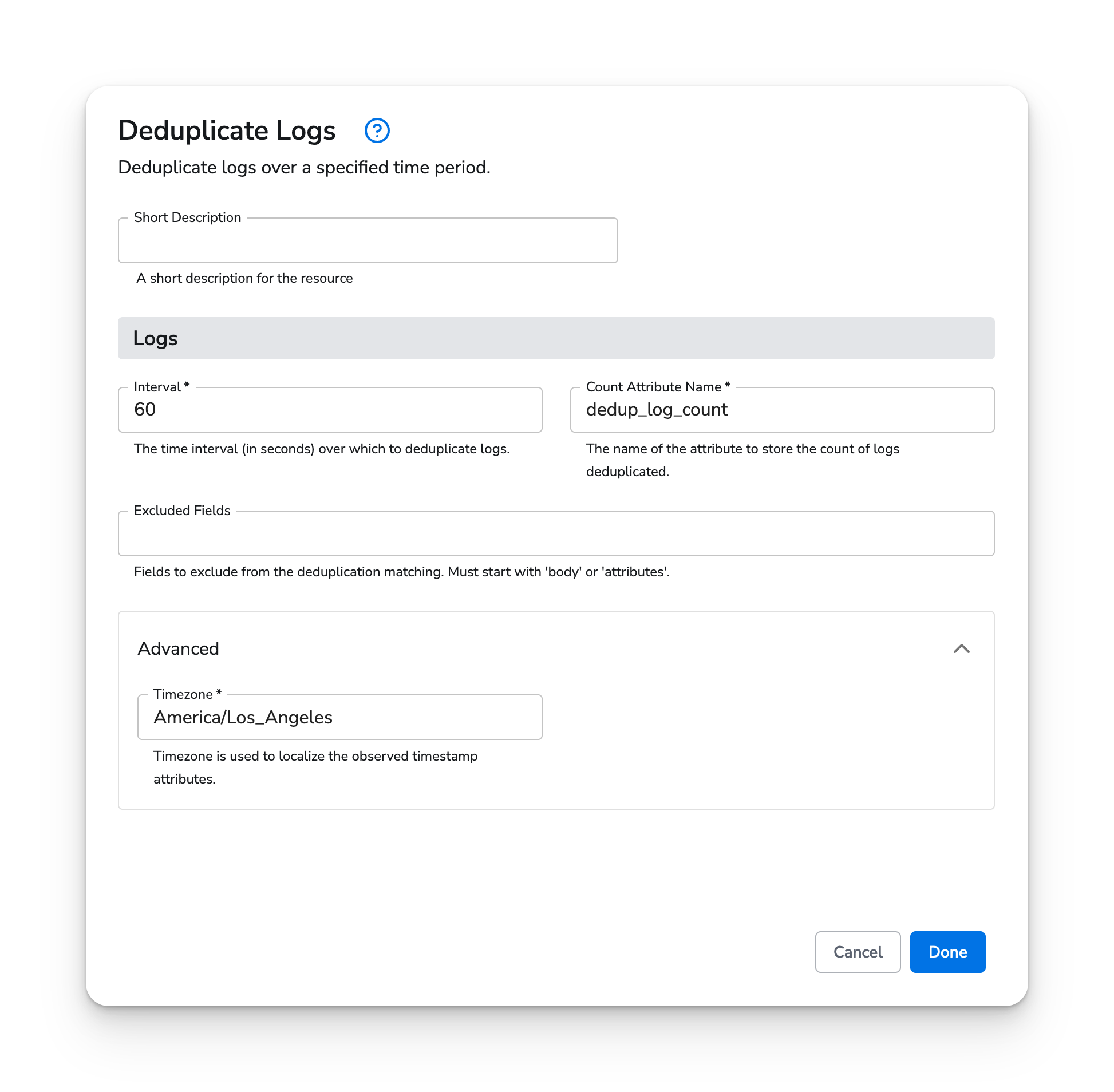 #### Standalone Processor
```yaml theme={}
apiVersion: bindplane.observiq.com/v1
kind: Processor
metadata:
id: log-dedup
name: log-dedup
spec:
type: log_dedup
parameters:
- name: interval
value: 60
- name: log_count_attribute
value: 'dedup_count'
- name: timezone
value: 'America/Los_Angeles'
```
### Exclude Fields
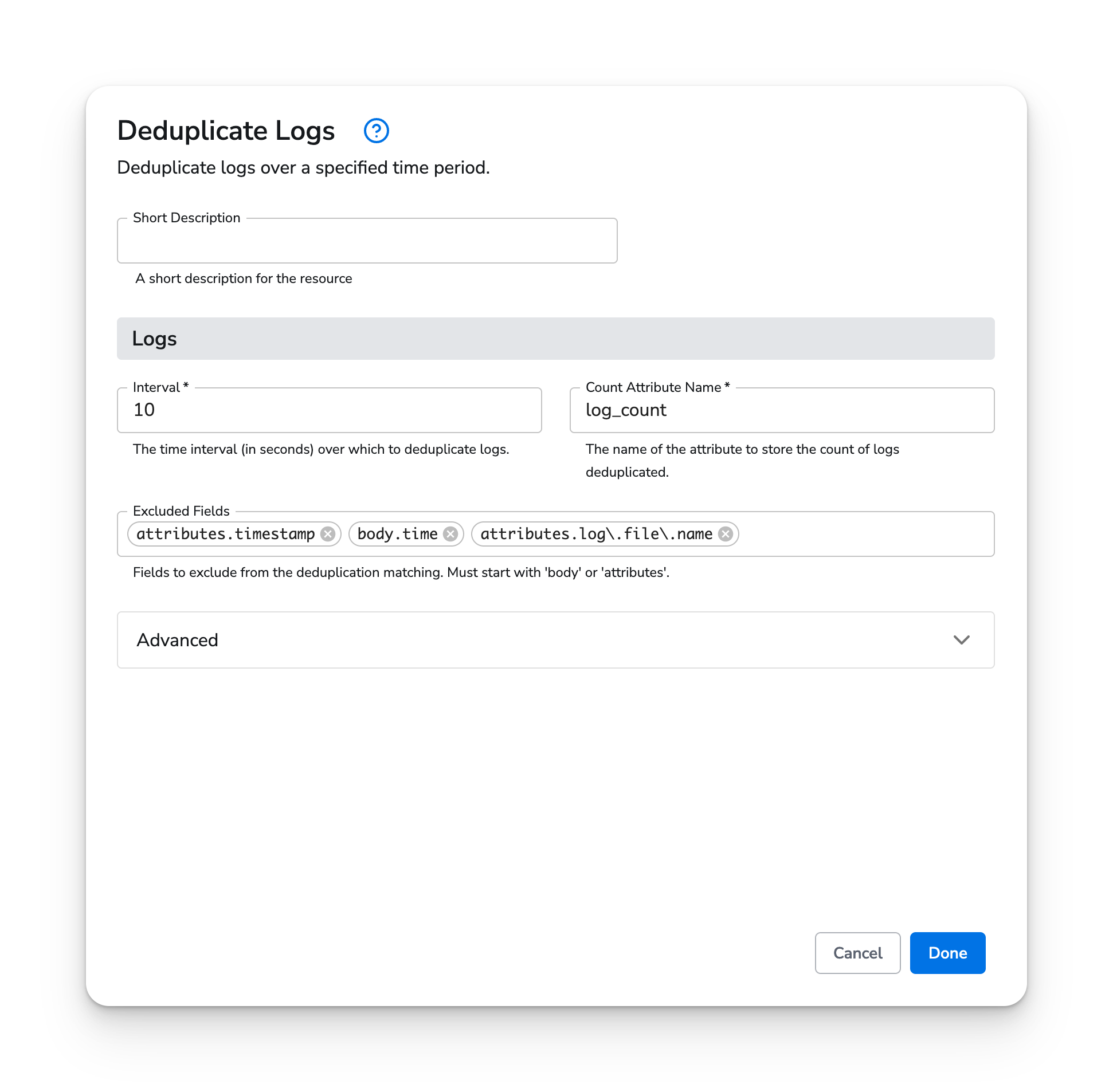
This example shows the addition of `exclude_fields`. More information on exclude\_fields can be found [here](#exclude_fields-parameter).
#### Web Interface
#### Standalone Processor
```yaml theme={}
apiVersion: bindplane.observiq.com/v1
kind: Processor
metadata:
id: log-dedup
name: log-dedup
spec:
type: log_dedup
parameters:
- name: interval
value: 60
- name: log_count_attribute
value: 'dedup_count'
- name: timezone
value: 'America/Los_Angeles'
```
### Exclude Fields
This example shows the addition of `exclude_fields`. More information on exclude\_fields can be found [here](#exclude_fields-parameter).
#### Web Interface
 #### Standalone Processor
```yaml theme={}
apiVersion: bindplane.observiq.com/v1
kind: Processor
metadata:
id: exclude-fields
name: exclude-fields
spec:
type: log_dedup
parameters:
- name: interval
value: 10
- name: log_count_attribute
value: 'log_count'
- name: timezone
value: 'UTC'
- name: exclude_fields
value:
- 'attributes.timestamp'
- 'body.time'
- 'attributes.log\.file\.name'
```
#### Standalone Processor
```yaml theme={}
apiVersion: bindplane.observiq.com/v1
kind: Processor
metadata:
id: exclude-fields
name: exclude-fields
spec:
type: log_dedup
parameters:
- name: interval
value: 10
- name: log_count_attribute
value: 'log_count'
- name: timezone
value: 'UTC'
- name: exclude_fields
value:
- 'attributes.timestamp'
- 'body.time'
- 'attributes.log\.file\.name'
```