> ## Documentation Index
> Fetch the complete documentation index at: https://docs.honeycomb.io/llms.txt
> Use this file to discover all available pages before exploring further.
# Compute Metric Statistics
Ent+
This feature is available as an add-on for the [Honeycomb Enterprise plan](https://www.honeycomb.io/pricing/).
Please contact your Honeycomb account team for details.
## Description
The Compute Metric Statistics processor can be used to calculate statistics for metrics over fixed time intervals to reduce metric throughput.
## Supported Types
| Metrics | Logs | Traces |
| :------ | :--- | :----- |
| ✓ | | |
## Configuration Table
| Parameter | Type | Default | Description |
| :-------- | :--------- | :---------------------- | :--------------------------------------------------------------------------------------------------------------------------------- |
| interval | `int` | `60` | The interval in seconds on which to aggregate metrics. Calculated metrics will be emitted after the interval passes. |
| include | `regex` | `.*` | A regex that must match against the metric's name in order to calculate statistics from it. The default value matches all metrics. |
| stats | `[]string` | `["min", "max", "avg"]` | A list of statistics to calculate on matched metrics. Valid values are: `min`, `max`, `avg`, `first`, and `last`. |
## Example Configuration
### Calculate Average, Minimum, and Maximum
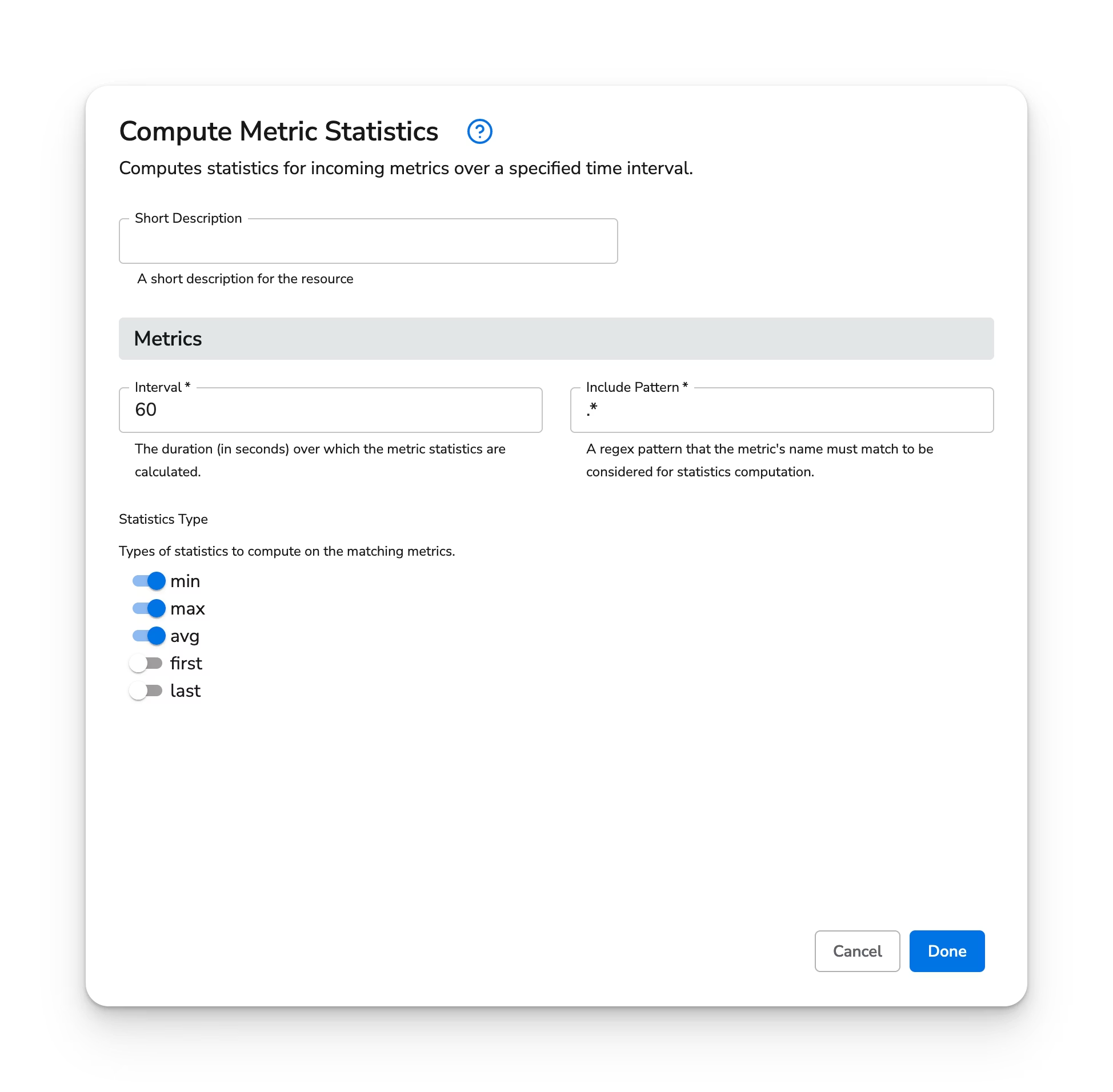
Calculate the average, minimum, and maximum values of each incoming metric, and emit them with a `.avg`, `.min`, and `.max` suffix, respectively.
#### Web Interface
 #### Standalone Processor
```yaml theme={}
apiVersion: bindplane.observiq.com/v1
kind: Processor
metadata:
id: calculate-avg-min-max
name: calculate-avg-min-max
spec:
type: metric_stats
parameters:
- name: interval
value: 60
- name: include
value: '.*'
- name: stats
value: ['min', 'max', 'avg']
```
### Take the Most Recent Value
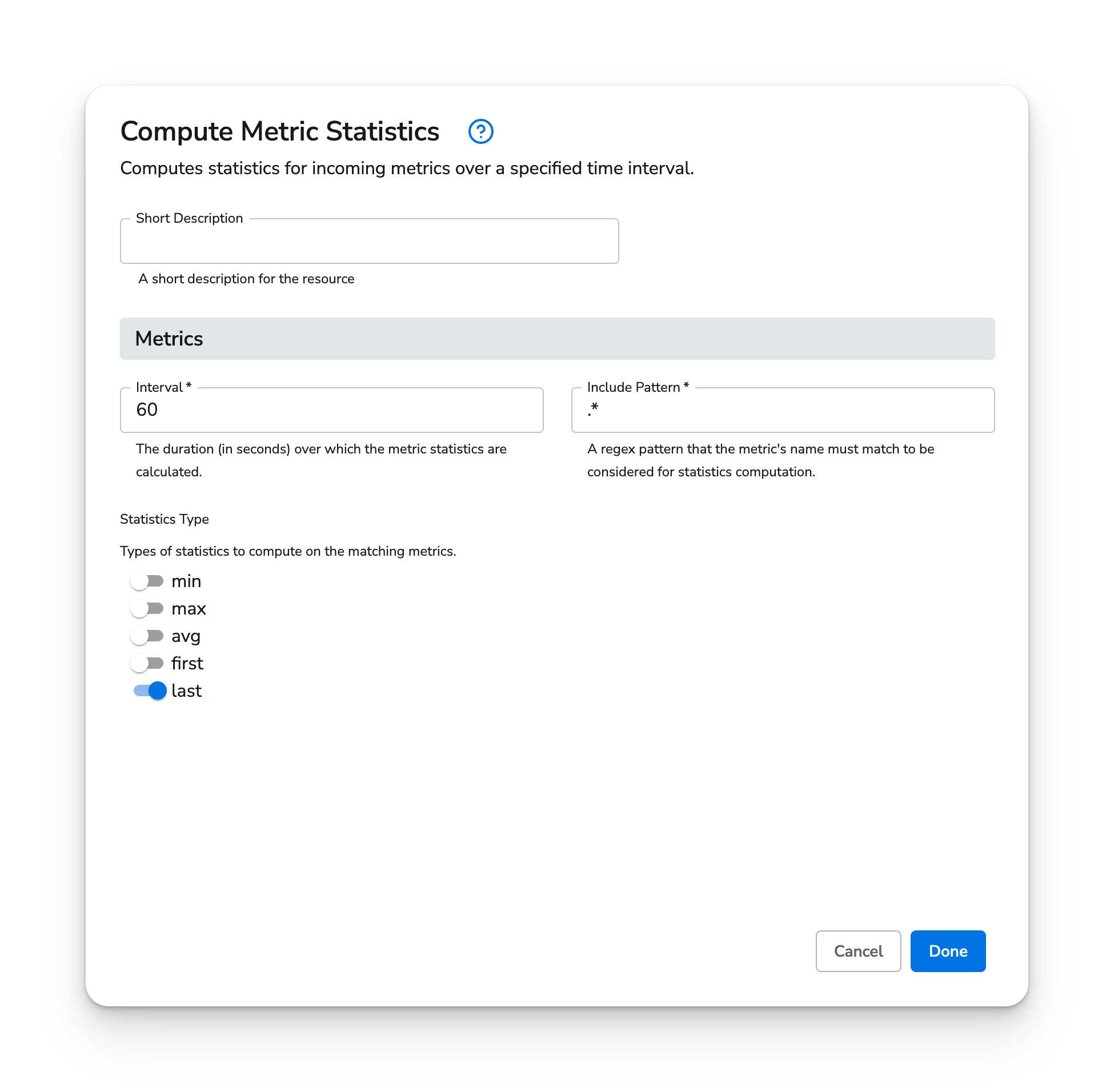
Take the last value of a metric over a 60 second interval, and emit the metric with a suffix of `.last`.
#### Web Interface
#### Standalone Processor
```yaml theme={}
apiVersion: bindplane.observiq.com/v1
kind: Processor
metadata:
id: calculate-avg-min-max
name: calculate-avg-min-max
spec:
type: metric_stats
parameters:
- name: interval
value: 60
- name: include
value: '.*'
- name: stats
value: ['min', 'max', 'avg']
```
### Take the Most Recent Value
Take the last value of a metric over a 60 second interval, and emit the metric with a suffix of `.last`.
#### Web Interface
 #### Standalone Processor
```yaml theme={}
apiVersion: bindplane.observiq.com/v1
kind: Processor
metadata:
id: calculate-last-value
name: calculate-last-value
spec:
type: metric_stats
parameters:
- name: interval
value: 60
- name: include
value: '.*'
- name: stats
value: ['last']
```
#### Standalone Processor
```yaml theme={}
apiVersion: bindplane.observiq.com/v1
kind: Processor
metadata:
id: calculate-last-value
name: calculate-last-value
spec:
type: metric_stats
parameters:
- name: interval
value: 60
- name: include
value: '.*'
- name: stats
value: ['last']
```