> ## Documentation Index
> Fetch the complete documentation index at: https://docs.honeycomb.io/llms.txt
> Use this file to discover all available pages before exploring further.
# Coalesce
Ent+
This feature is available as an add-on for the [Honeycomb Enterprise plan](https://www.honeycomb.io/pricing/).
Please contact your Honeycomb account team for details.
## Description
The Coalesce processor can be used to consolidate many field names into a single field name.
## Use
The Coalesce processor is utilized for consolidating telemetry fields in metrics, logs, and traces based on specified conditions.
While this is similar on concept to SQL Coalesce, it has some key differences. Especially around the order of precedence. See the behavior section.
## Supported Types
| Metrics | Logs | Traces |
| :------ | :--- | :----- |
| ✓ | ✓ | ✓ |
## Configuration
| Field | Description |
| :-------------- | :-------------------------------------------------------------------- |
| Telemetry Types | The types of telemetry to apply the processor to. |
| Condition | A condition that determines when this processor is applied. |
| Action | The action to take (insert, update, upsert) when coalescing telemetry |
| Coalesce From | The telemetry fields to coalesce from. |
| Coalesce To | The telemetry field to coalesce to. |
## Behavior
The behavior of this processor is dependent on the selected action.
When insert is selected, the target field only gets coalesced to if it doesn't exist. Precedence: First item in list.
When update is selected, the target field gets coalesced to only if it already exists. Precedence: Last item in list.
When upsert it selected, the target field gets coalesces to regardless whether it existed or not. Precedence: Last item in list.
## Example Configuration(s)
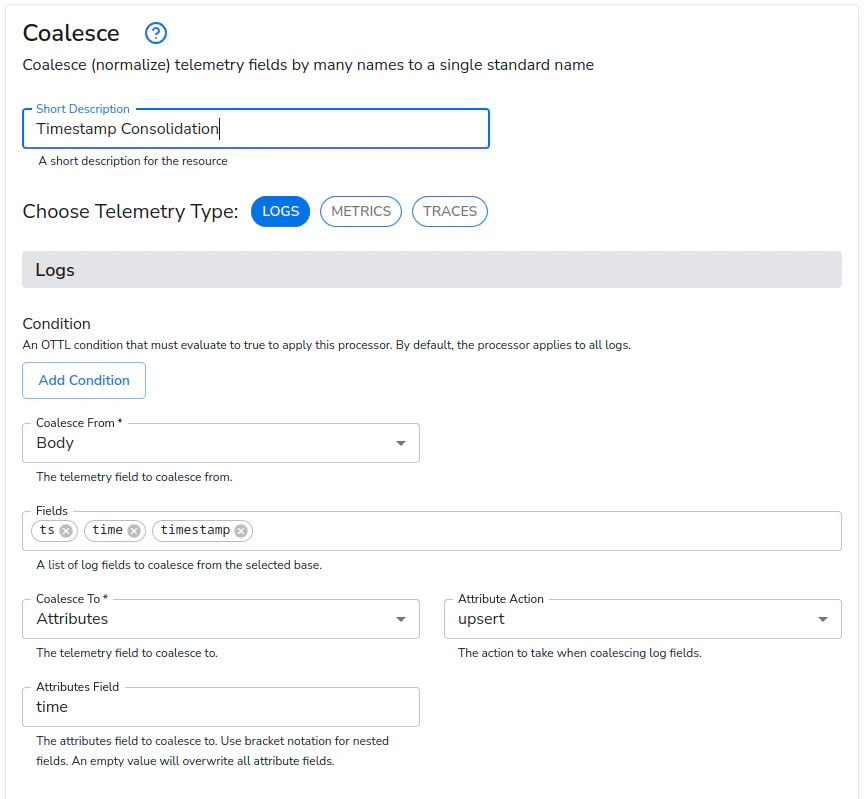
### Coalesce timestamp fields
This configuration will coalesce the body fields `ts`, `time`, and `timestamp` to an attribute named `time` for later parsing. Upsert is used for the action.
#### Web Interface
 ### Coalesce severity fields
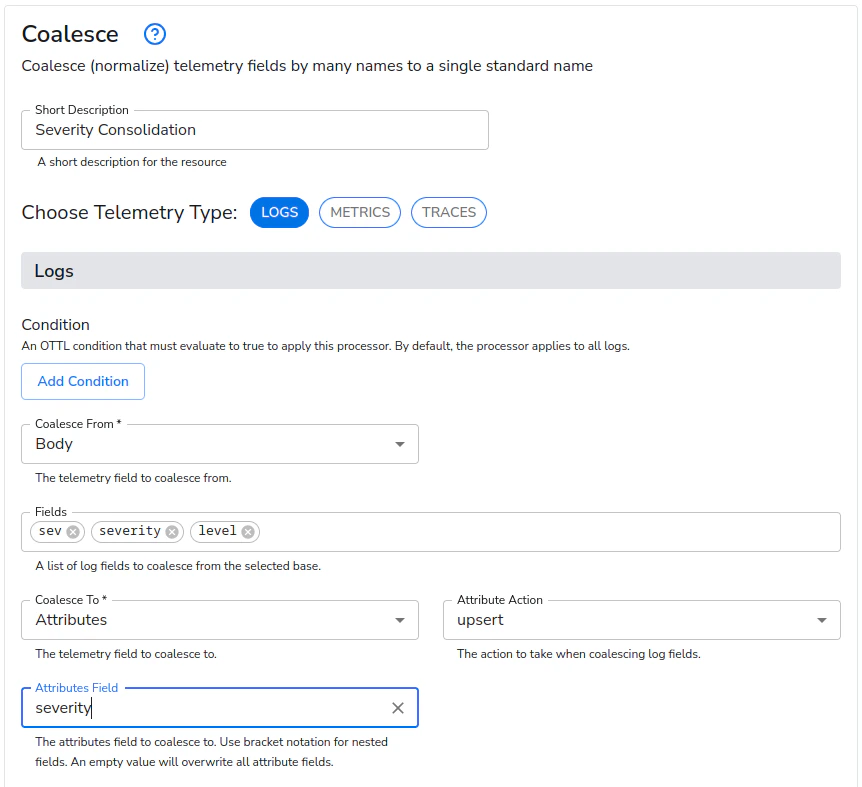
This configuration will coalesce the body fields `sev`, `severity`, and `level` to an attribute named `severity` for later parsing. Upsert is used for the action.
#### Web Interface
### Coalesce severity fields
This configuration will coalesce the body fields `sev`, `severity`, and `level` to an attribute named `severity` for later parsing. Upsert is used for the action.
#### Web Interface
 ### Coalesce datacenter fields
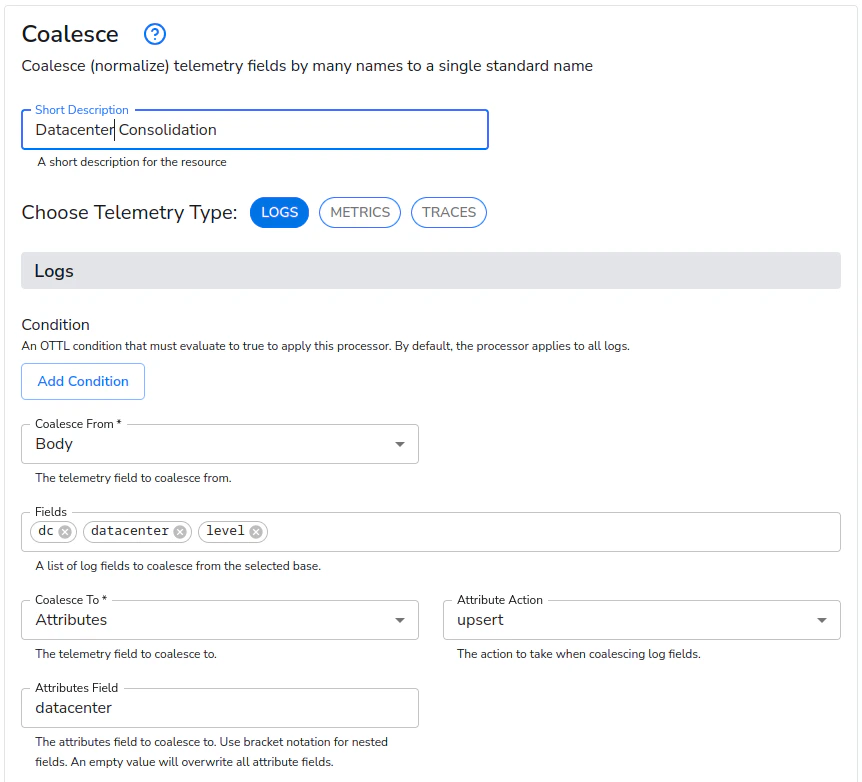
This configuration will coalesce the body fields `dc`, `datacenter`, and `location` to an attribute named `datacenter` for later parsing. Upsert is used for the action.
#### Web Interface
### Coalesce datacenter fields
This configuration will coalesce the body fields `dc`, `datacenter`, and `location` to an attribute named `datacenter` for later parsing. Upsert is used for the action.
#### Web Interface