> ## Documentation Index
> Fetch the complete documentation index at: https://docs.honeycomb.io/llms.txt
> Use this file to discover all available pages before exploring further.
# Honeycomb Refinery
Ent+
This feature is available as an add-on for the [Honeycomb Enterprise plan](https://www.honeycomb.io/pricing/).
Please contact your Honeycomb account team for details.
## Description
Sends logs and traces to [Honeycomb Refinery](/manage-data-volume/sample/honeycomb-refinery/).
## Prerequisites
This destination requires network access to a [Honeycomb Refinery](/manage-data-volume/sample/honeycomb-refinery/) deployment.
If Refinery is configured to forward telemetry to Honeycomb.io, an API key is required. The API key should have "Send Events" and "Create Dataset" permissions.
See the [Honeycomb Refinery](/manage-data-volume/sample/honeycomb-refinery/) and [Honeycomb quick start guide](/get-started/start-building/application/traces/) for more information.
## Supported Types
| Logs | Metrics | Traces | HTP Agent |
| :--- | :------ | :----- | :--------- |
| ✓ | | ✓ | `v1.60.0`+ |
## Configuration
| Field | Description |
| :--------------------------------- | :-------------------------------------------------------------------------------------------------------------------------------------------------------------------------------------------------------------------------------------------------------------------------------------- |
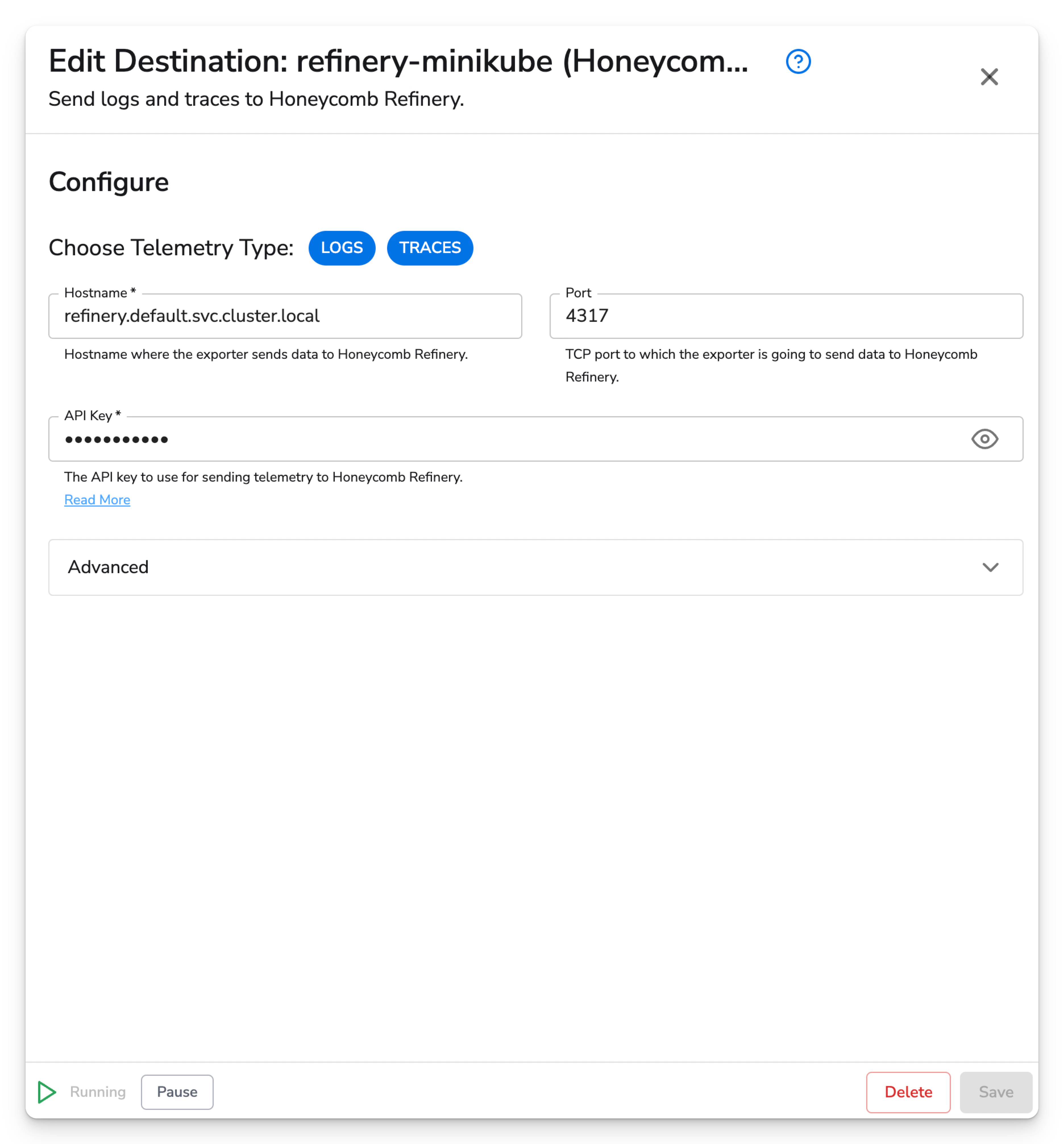
| Choose Telemetry Type | The kind of telemetry that should be sent to Honeycomb. |
| Hostname | Hostname or IP address where the exporter will send OTLP data. |
| Port | TCP port to which the exporter is going to send OTLP data. |
| API Key | The API key to use for sending telemetry to Honeycomb. Make sure the key has the "Send Events" permission. If the provided dataset(s) do not exist, use the "Create Dataset" permission as well. See this [Honeycomb documentation](/configure/environments/manage-api-keys/) for more. |
| Compression | Compression algorithm to use when sending data to Honeycomb. Available options are `none` or `gzip`. |
| Enable TLS | Whether or not to use TLS. |
| Skip TLS Certificate Verification | Enable to skip TLS certificate verification. |
| TLS Certificate Authority File | Certificate authority used to validate TLS certificates. |
| Server Name Override | Optional virtual hostname. Indicates the name of the server requested by the client. This option is generally not required. Read more [here](https://github.com/open-telemetry/opentelemetry-collector/blob/main/config/configtls/README.md#client-configuration). |
| Mutual TLS | Whether or not to use mutual TLS |
| Mutual TLS Client Certificate File | A TLS certificate used for client authentication. |
| Mutual TLS Client Private Key File | A TLS private key used for client authentication. |
This destination supports the following retry and queuing settings:
| Sending Queue | Persistent Queue | Retry on Failure |
| :------------ | :--------------- | :--------------- |
| ✓ | ✓ | ✓ |
## Honeycomb Datasets
Your Refinery server can be configured to route telemetry to specific Honeycomb datasets, however,
Refinery will respect the `service.name` resource field when determining which dataset the telemetry
should belong to.
You can route telemetry to datasets dynamically by using the [Add Fields](/send-data/telemetry-pipeline/processors/add-fields/)
processor to set `service.name` resource field.
## Example Configuration
### Web Interface
 ### Standalone Destination
```yaml theme={}
apiVersion: bindplane.observiq.com/v1
kind: Destination
metadata:
name: honeycomb-refinery
spec:
type: honeycomb_refinery_otlp
parameters:
- name: telemetry_types
value: ['Logs', 'Traces']
- name: hostname
value: refinery.default.svc.cluster.local
- grpc_port:
value: 4317
- name: api_key
value: your_api_key
- name: compression
value: gzip
```
### Standalone Destination
```yaml theme={}
apiVersion: bindplane.observiq.com/v1
kind: Destination
metadata:
name: honeycomb-refinery
spec:
type: honeycomb_refinery_otlp
parameters:
- name: telemetry_types
value: ['Logs', 'Traces']
- name: hostname
value: refinery.default.svc.cluster.local
- grpc_port:
value: 4317
- name: api_key
value: your_api_key
- name: compression
value: gzip
```