> ## Documentation Index
> Fetch the complete documentation index at: https://docs.honeycomb.io/llms.txt
> Use this file to discover all available pages before exploring further.
# Bindplane Gateway
Ent+
This feature is available as an add-on for the [Honeycomb Enterprise plan](https://www.honeycomb.io/pricing/).
Please contact your Honeycomb account team for details.
## Description
The Bindplane Gateway destination is an OTLP destination meant to be used for nodes sending to a gateway. When using this destination in conjunction with a Telemetry Pipeline Gateway source from another configuration, telemetry traveling through this destination will not be double counted in the Summary view.
## Supported Types
| Metrics | Logs | Traces | Telemetry Pipeline Agent |
| :------ | :--- | :----- | :----------------------- |
| ✓ | ✓ | ✓ | `v1.52.0`+ |
## Configuration Table
| Field | Description |
| :--------------------------------- | :----------------------------------------------------------------------------------------------------------------------------------------------------------------------------------------------------------------------------------------------------------------- |
| Hostname | Hostname or IP address where the exporter will send OTLP data. |
| Port | TCP port to which the exporter is going to send OTLP data. |
| Protocol | The OTLP protocol to use when sending OTLP telemetry. Can be gRPC or HTTP. |
| Compression | Compression algorithm to use when sending data to the OTLP server. Ensure that the server supports the compression algorithm selected. Kinds of compression depend on `Protocol`. |
| Additional Headers | Add additional headers to be attached to each request. |
| Enable TLS | Whether or not to use TLS. |
| Skip TLS Certificate Verification | Enable to skip TLS certificate verification. |
| TLS Certificate Authority File | Certificate authority used to validate TLS certificates. |
| Server Name Override | Optional virtual hostname. Indicates the name of the server requested by the client. This option is generally not required. Read more [here](https://github.com/open-telemetry/opentelemetry-collector/blob/main/config/configtls/README.md#client-configuration). |
| Mutual TLS | Whether or not to use mutual TLS authentication. |
| Mutual TLS Client Certificate File | A TLS certificate used for client authentication. |
| Mutual TLS Client Private Key File | A TLS private key used for client authentication. |
## Supported Retry and Queuing Settings
This destination supports the following retry and queuing settings:
| Sending Queue | Persistent Queue | Retry on Failure |
| :------------ | :--------------- | :--------------- |
| ✓ | ✓ | ✓ |
## Example Configuration
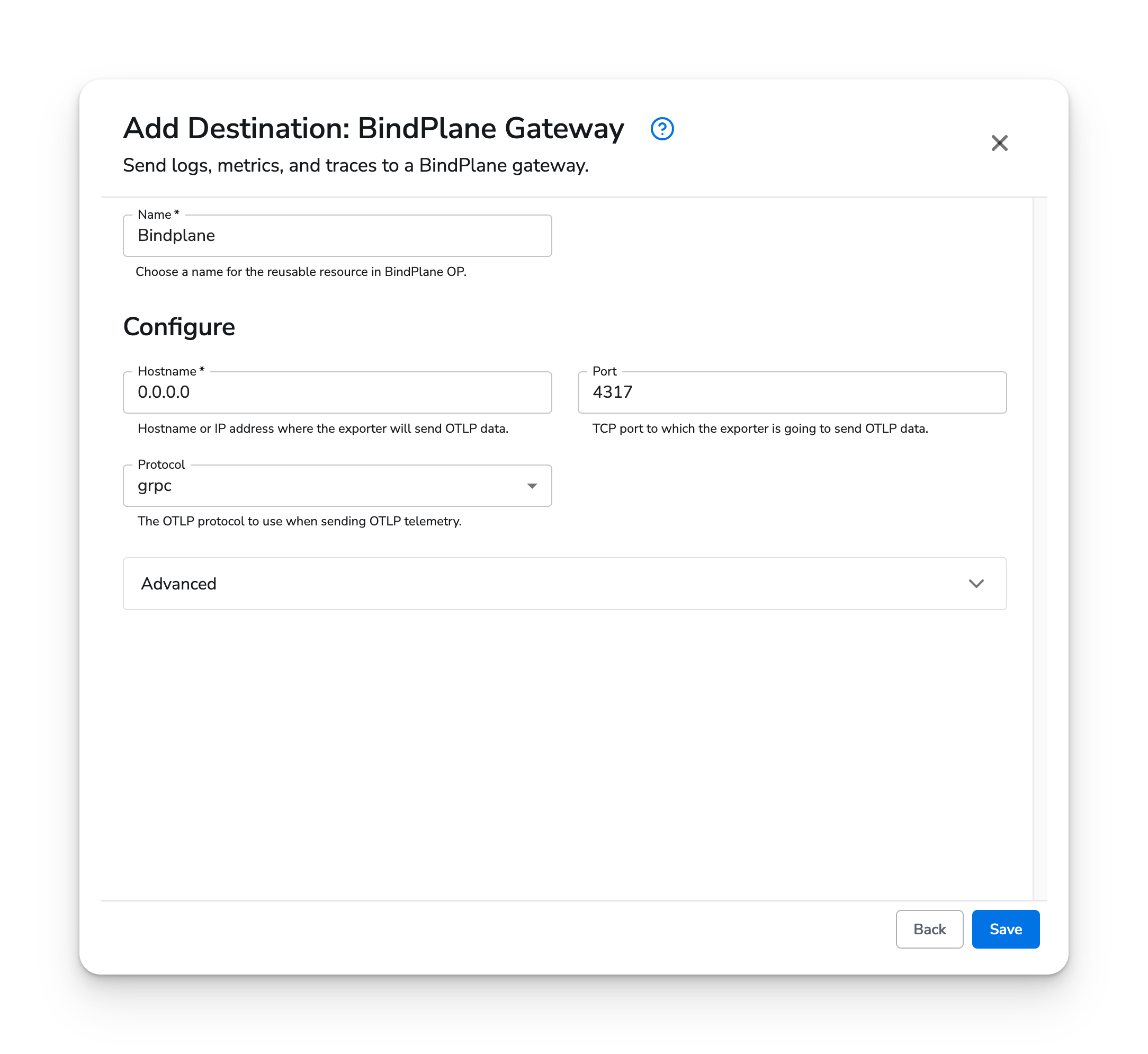
In this configuration, we specify the `hostname` of the Telemetry Pipeline Gateway server telemetry is going to be sent to, as well as what `protocol` will be used.
### Web Interface
 ### Standalone Destination
```yaml theme={}
apiVersion: bindplane.observiq.com/v1
kind: Destination
metadata:
id: bindplane_gateway
name: bindplane_gateway
spec:
type: bindplane_gateway
parameters:
- name: hostname
value: '0.0.0.0'
- name: protocol
value: 'grpc'
- name: grpc_port
value: '4317'
- name: enable_tls
value: 'false'
```
### Standalone Destination
```yaml theme={}
apiVersion: bindplane.observiq.com/v1
kind: Destination
metadata:
id: bindplane_gateway
name: bindplane_gateway
spec:
type: bindplane_gateway
parameters:
- name: hostname
value: '0.0.0.0'
- name: protocol
value: 'grpc'
- name: grpc_port
value: '4317'
- name: enable_tls
value: 'false'
```