> ## Documentation Index
> Fetch the complete documentation index at: https://docs.honeycomb.io/llms.txt
> Use this file to discover all available pages before exploring further.
# Stream Logs from Fastly
> Stream logs from your Fastly CDN to Honeycomb using Fastly's log streaming feature for deeper visibility into your content distribution system behavior.
[Fastly](https://fastly.com) supports [streaming logs](https://docs.fastly.com/guides/streaming-logs/).
Send this data to Honeycomb for more insight into the behavior of your content distribution system.
## Configuration
To send Fastly logs to Honeycomb, refer to the [Fastly
documentation](https://docs.fastly.com/guides/streaming-logs/log-streaming-honeycomb).
## Sampling with VCL
Use [Sampling](/manage-data-volume/sample/guidelines/) to reduce data volume in your Honeycomb datasets where you are gathering Fastly data.
To implement sampling, we recommend a configuration that uses:
1. A **Logging** rule, which only forwards logs for requests if they are included in the sampled data.
2. **Varnish Configuration Language (VCL) snippet(s)**, which determines if the request should be sampled and at what rate.
### Configure Sampling
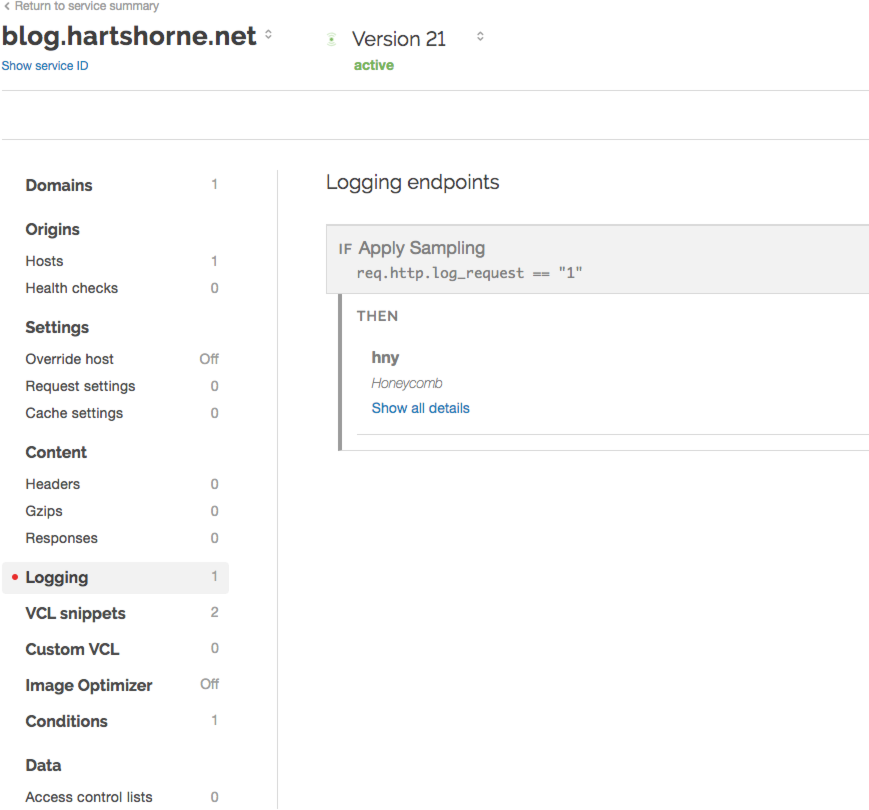
1. Update your Fastly configuration to create a logging rule, which forwards requests to Honeycomb only if the `req.http.log_request` local variable is set to `"1"`.
 2. Create two **VCL snippets**:
1. **A table of sample rates for status codes**
For example, this table describes the number of events which flow through per sampled event based on status code.
`1` does not sample at all, `20` samples every 20th event, and so on.
To use, copy and adjust the rates in this table based on your projection traffic:
```varnish theme={}
table codes {
"200s": "20",
"300s": "5",
"400s": "3",
"500s": "1",
}
```
2. **Code that sets the sample rate based on HTTP status**
Use the following code to set the `req.http.log_request` variable (as mentioned in the logging rule) if sampling should be applied:
```varnish theme={}
set req.http.samplerate = table.lookup(codes, regsub(resp.status, "^([1-5])..", "\100s"), "1");
if (randombool(1, std.atoi(req.http.samplerate))) {
set req.http.log_request = "1";
} else {
set req.http.log_request = "0";
}
```
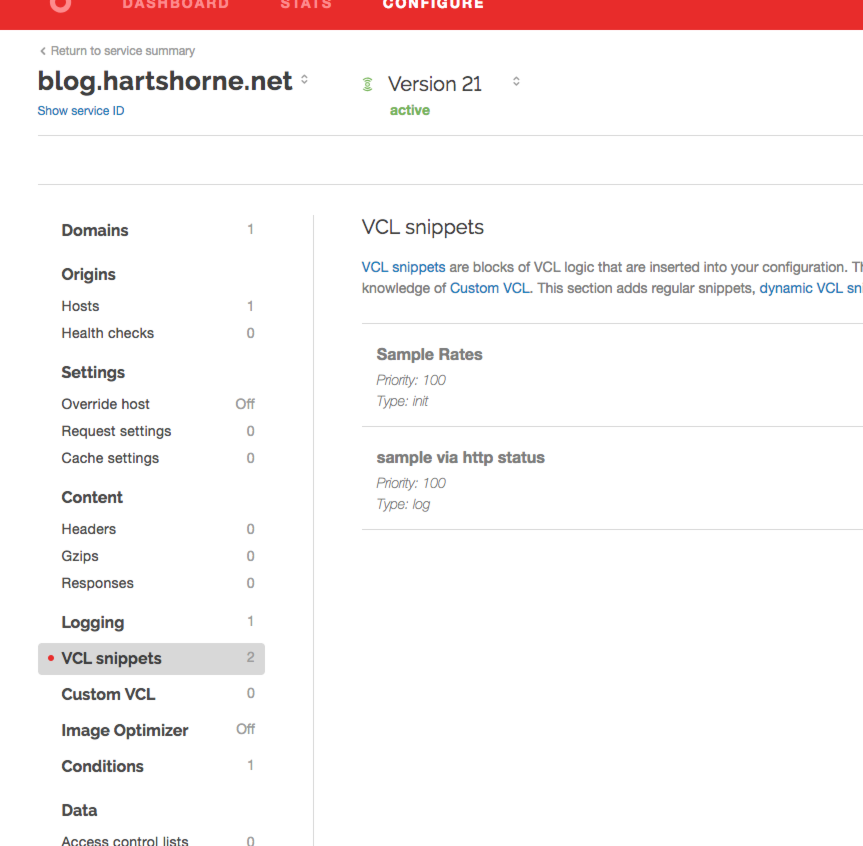
2. Create two **VCL snippets**:
1. **A table of sample rates for status codes**
For example, this table describes the number of events which flow through per sampled event based on status code.
`1` does not sample at all, `20` samples every 20th event, and so on.
To use, copy and adjust the rates in this table based on your projection traffic:
```varnish theme={}
table codes {
"200s": "20",
"300s": "5",
"400s": "3",
"500s": "1",
}
```
2. **Code that sets the sample rate based on HTTP status**
Use the following code to set the `req.http.log_request` variable (as mentioned in the logging rule) if sampling should be applied:
```varnish theme={}
set req.http.samplerate = table.lookup(codes, regsub(resp.status, "^([1-5])..", "\100s"), "1");
if (randombool(1, std.atoi(req.http.samplerate))) {
set req.http.log_request = "1";
} else {
set req.http.log_request = "0";
}
```
 3. To ensure that the sample rate is included as a property of the JSON event and sent to Honeycomb, add this line at the same level of the `time` and `data` keys:
```varnish theme={}
"samplerate": %{req.http.samplerate}V,
```
This line encodes `samplerate` as a top0-level key sent to the Honeycomb API and causes all visualizations rendered by Honeycomb to appear as if **all** of the events, even ones which were sampled out, were sent.
You can extend this basic configuration to sample based on cache status or other fields if desired.
3. To ensure that the sample rate is included as a property of the JSON event and sent to Honeycomb, add this line at the same level of the `time` and `data` keys:
```varnish theme={}
"samplerate": %{req.http.samplerate}V,
```
This line encodes `samplerate` as a top0-level key sent to the Honeycomb API and causes all visualizations rendered by Honeycomb to appear as if **all** of the events, even ones which were sampled out, were sent.
You can extend this basic configuration to sample based on cache status or other fields if desired.